Jumpman Reverse Engineering Notes
(for the Atari 8-bit version)
Our descriptions below are: Copyright © 2016-2026, Rob McMullen & Kay Savetz. Licensed under the Creative Commons Attribution-NonCommercial-ShareAlike 4.0 International license. See https://creativecommons.org/licenses/by-nc-sa/4.0/
The game Jumpman is: Copyright © 1983 Randy Glover
1000-2000: Scratch area for screen construction
7000 - 7e64: gameplay display memory
7fff: top of memory for original code
Level Definition Table Examples
Harvest Table & Painting Table
Notes on The Original 30 Levels
The Peanut Harvest Error Screen
Code to run when a particular peanut is taken
Code to run with any/every peanut is taken
Code to run in the vertical blank interval
Appendix 1: Notes On Our Reference Disk Image
Assembly code: gameloop @ 2880
Assembly code: harvest table trigger @ 2d07
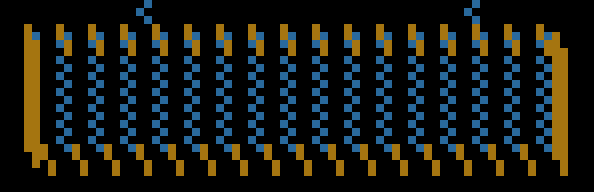
Appendix 3: Reverse Engineering the Title Screen
Appendix 4: Level Load Process
Appendix 5: Level Storage Version 2
Creating Easy Does It v2 by hand
Appendix 6: Creating the Level Builder Test Image
Level Storage Version 1 (Classic Jumpman levels)
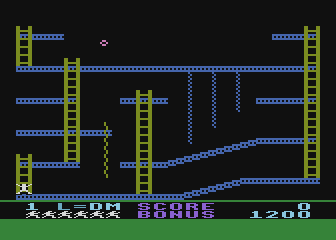
Jumpman is one of the standout games on the Atari 8-bit platform, and a favorite (if not the favorite) of Kay and Rob.
Kay has created a web-based level editor at https://www.savetz.com/jumpman/. It replaces the level editor in Omnivore, which has been retired.
Apart from sector numbers which are traditionally shown in decimal, all values in this document are in hex unless either super-obvious or otherwise noted.
In the documentation for the game, you are described as running around defusing bombs by touching them. We started calling them peanuts in our documentation because Kay called them that during his original gameplay experience in the 1980s, and so we wouldn't get flagged and placed on watchlists because our email traffic contained hundreds of references to bombs.
peanut: The bombs from the original manual; what you're collecting to advance to the next level
harvest: The act of colliding with a peanut and removing it from the level
trigger function: A pointer to a routine that will run when that particular peanut is harvested. This is not the same as trigger painting described below.
trigger painting: A pointer to an entry in the trigger painting table that draws or erases level elements when the peanut is harvested. Note that this is entirely separate from the trigger function above. A peanut may have one, both, or neither defined.
Our reference disk image is available on AtariMania; see Appendix 1 for additional notes on the format and contents of this particular disk image.
Sector Description
1 boot sector @ 700
2-5 boot loader @ 800
5-16 blank, not loaded
17-529 levels, loaded on demand during game
530-547 blank, not loaded
548-559 game code, 0a00-0fff
560-575 game code, 2000-27ff
576-591 high score management, 2800-2fff
592-693 game code, 3000-62ff
694-703 blank (but loaded anyway), 6300-67ff
704-719 game code, 6800-6fff
Start layout name
17 25 easy does it
33 41 robots 1
49 57 bombs away
65 73 jumping blocks
81 89 vampire
97 105 invasion
113 121 GP I
129 137 builder
145 153 look out below
161 169 hotfoot
177 185 runaway
193 201 robots I
209 217 hailstones
225 233 dragonslayer
241 249 GP II
257 265 ride around
273 281 roost
289 297 roll me over
395 313 ladder challenge
321 329 figureit
337 345 jump n run
353 361 freeze
369 377 follow the leader
385 393 the jungle
401 409 mystery maze I
417 425 mystery maze II
433 441 mystery maze III
449 457 gunfighter
465 473 robots III
481 489 now you see it
497 505 going down
513 521 GP III
677 demo (search for fc0040fd)
The first 3 sectors are loaded at $700, and the code is initialized by a JMP to $706. The boot loader then loads sectors 2-5 at $800-$9ff (even though sectors 2 and 3 were already loaded at $700-87f) and inits at $800. It sets the loading display list and tests for 32K. If successful, loads sectors 560-719 starting at $2000, then jumps to $2900 (indirect jump to the value set at $09d6).
At $2900, it checks for a keypress to clear high scores (!) then continues on to the routine at $2b00 to load sectors 548-559 at $0a00. It then jumps to $55c0 to begin the non I/O initialization. This in turn jumps to $5600 which is also the routine that can be called at any time to return to the title screen.
00be: addr used as target to write to screen memory for hex to decimal screen rendering
00cb-00d1: scratch area available for gameloop use. Not saved between calls to VBI, though, so is clobbered every VBI
034f-035e: working data for level construction?
0a00: jump target: display number of players screen and wait for keypress in location 30ff, continues via JMP to 261a
0bb8: jump target: from 69cc, after high score
0bfc-?: local storage
0bfc: important var; used by 0f08 to see if 7de8 array needs to be cleared?
0c00: subroutine: called from 5620
0ca0: entry point: called after girders crumbled? jumps to 5300 after a few instructions
0ed0-?: local storage
0ed0: number of players pressed
0ed2: number of players copy? from 2632
0f00: new level init, calls 5290 to hide players then jumps to 4460 if 0bfc is zero, otherwise swallows a JSR return value for some reason, sets 0bfc to zero, and exits with jmp to 4c7a
1000: temporary ram for construction of screen
1800: working copy of level storage data?
1831: ? init from 5590, copied value from $0700
22f8: play level complete music, random 0-f in A, $20 in Y
23eb: attract mode entry point
2476: jump target for OPTION pressed during game options list
2481: CMP #06: number of items in the game options list
248a: STA $32fe when using "ba r 32fe", so this is where the game option value is stored
24ec: called after START pressed, in turn calls 0a00
2507,x: table starting sector, low byte; index based on 2603 (starts at 1)
250d,x: table starting sector, high byte
2508: 11, 91, 31, 11, c1
250e: 00, 00, 01, 00, 00
2513: subroutine: set menu colors to default values
2603: index value (01 - 05) of level selected in GAME OPTIONS screen (01 = beginner, 05 = randomizer). Used in a DLI?
261a: zeros bonus score at 4cfd-4cff, continues to 4d00
2640: blank screen with no-op display list and
2680: subroutine:
2700: subroutine: draw an object. The object description appears to be in triples, a color and x and y offsets. As input to this function, the color is stored in $0358, x coord in $55 and y coord in $54.
27e0: subroutine:
(Labels that the command-line assembler recognizes are in bold. If the assembler finds these labels in the assembly code, the address of the label will be copied into the proper location in the level storage area.)
2800-2801: level number in ATASCII, copied to 4636-4637 and screen RAM
2802-2809: These 8 bytes comprise a jump table to 4 vertical blank routines that each level can use for custom game logic. In typical levels, they are used for bullet hits and levels with custom code can use them to perform special tasks like moving robots or update falling objects.
2802-2803: vbi1
2804-2805: vbi2
2806-2807: vbi3
2808-2809: vbi4 if you override vbi4, you will need to either end it with a JMP $49a0 or handle player/missile collisions yourself to test for Jumpman death.
In these routines, the address 311b is used to do nothing special. If all 4 are 311b, there will be no bullet hit recognition, no robots, etc.
If you write custom code for vbi1 through 3, end it with JMP $311b — not RTS. See the note above for vbi4, and for an example, check out Kay’s video: https://www.youtube.com/watch?v=_RRrynvRbZs
(Note that the 6502 is little-endian, so when you look at the hex values in a disassembly, the address 311b will appear as 1b31 in consecutive bytes).
2802-2803 EDL superjumpman turned 1b31 to 0029
lookout: changed to 1b31, no falling stuff
2804-2805 ladder b829 - change 0029 to not die when shot
edl change 0029 everything s l o w
2806-2807 more of the same
2808-2809 edl change to 1b31 no die when shot
280a-f is always c694aa780f00
$280a status divider/background color
$280b status PF0 / unused
$280c "L=" color
$280d "SCORE" / "BONUS" text color
$280e remaining-life Jumpmen color
$280f status-area background color
280a color of score/bonus area border
280b probably unused color register
280c color of "L=" in the score area
280d color of words SCORE and BONUS
280e color of remaining lives jumpmen
280f color of score/bonus area background
2810-2817 is always the same
2810,2811: dead_begin: addr: vector to call when start to fall to death, copied to 30b7. If you create a custom routine, end it with JMP $4200
2812,2813: dead_at_bottom: addr: vector called when dying and bounced down to the bottom, before music. copied to 30b9. If you create a custom routine, end it with JMP $4580
2814,2815: dead_falling: addr: vector called while falling to death, after the 2810 routine but before 2812. Usually points to 311b. If you create a custom routine, end it with JMP $311b
2816-2817: kill_check addr: always vector to 30e0, which does CLC, RTS. If the CLC is changed to an SEC, Jumpman is killed upon returning from this subroutine. We think that this was intended to be a method to kill Jumpman during the level, but Glover ended up abandoning it despite leaving the code around. This subroutine is still called, but the SEC method of killing Jumpman is not used in any of Glover’s levels.
The next 18 bytes clarify the position of ladders and down ropes. The game uses PM-playfield collision detection to know what Jumpman is touching. Girders and up-ropes are the same color (defined at 282e): if Jumpman touches that color, he will always climb. Ladders and down-ropes are also the same color (defined at 282f), but Jumpman must behave differently with each (ladders are self-selected up and down; down-ropes force downward movement.) So these 18 bytes tell the game: when Jumpman is touching that color, how to tell a ladder from a down-rope. This would be unnecessary if there was one more color to work with.
2818-2823: ladder_columns: 12 bytes that describe which vertical columns contain ladders
So ladders can appear in 12 columns.
This number is the x position of the ladder from level description plus 30.
For instance if the x position is 0c (fc 2c 40 fd 0c 05 0b fd)
this number should be 3c
Don't have to define every ladder; just every column with 1+ ladders
So multiple ladders in the same column only get one entry here.
2824-2829 downrope_columns: 6 bytes that describe which vertical columns contain down ropes.
So ropes can appear in 6 columns.
This number is the x position of the rope from level description plus 2e.
For instance if the x position is 04 (fc c0 40 fd 04 07 04 fd)
this number should be 32
282a P0 / Jumpman init color, but changing it doesnt do much. It is always $0f because Jumpman is normally white. We had trouble making Jumpman color editable, so the game may overwrite or refresh P0 color elsewhere, but structurally this byte belongs there.
Here’s how to actually change Jumpman’s color
lda #$xx
sta $02c0 ; P0 / Jumpman color shadow
sta $d012 ; P0 / Jumpman hardware color now
Do it from VBI or another routine that runs repeatedly.
282b Jumpman shadow (player1) color
282c player2(?) color
282d player3(?) color
282e girder and up ropes color
282f ladder and down ropes color
2830 peanut color
2831 playfield 4 and combined player 4/bullet color
2832 background color
2833-4 How many points is a peanut worth, low and hi bytes
2835,2836: bonus value for level (e.g. dc,05 = 1500 decimal
2837,2838: level_definition: addr: start of level definition table (usually 2c00), copied to $3042
2839 Jumpman starting position X. Left is 34. Middle is 7c. Right is c6.
283a Jumpman starting position Y. Top is 20. Bottom is c0
283b,283c: gameloop: addr: vector to the level’s main game loop code. (this is usually set to 2880 or 2860), called from level setup routine at $4460. More on this in the custom code notes, below.
283d Max number of bullets. Glover’s levels use 0 (no shooting), 1, 2, and 4. 3 works. Anything else breaks things, sometimes to hilarious effect.
283e # of peanuts you need to take to complete the level. This location is decremented as you take peanuts as the level progresses, which is super useful for custom level code.
283f is always 4c (JMP) because it and the next two bytes are a jump target from the game loop
2840-2841: out_of_lives: addr: vector when lost last life. Always points to $4ffd except Grand Puzzle II. If you create a custom routine, end it with JMP $4ffd
2842,2843: next_level_sector: Sector number of start of next level, copied to 30ee,30ef 2844-2845: level_complete: addr: successful completion of level. Always points to $4c00 except on Grand Puzzle II & The Jungle. If you create a custom routine, end it with JMP $4c00
The Jungle: The next level is Mystery Maze. It's setting which maze to go to depending on the number of lives you have left. If you have less than 3, it goes to maze #1. Less than 5, goes to maze #3. 5 or more goes to maze #2.
GP II: ???
2846: X harvest offset
2847: Y harvest offset
2848: always 20 (i.e. JSR)
2849-284a: collect_callback: subroutine called every time a peanut is taken. If that functionality isn’t needed, the default is 284b (e.g. the next byte because that’s always RTS). Vampire uses a custom routine at $2b00, Look Out Below has one at $2980, etc. If you create a custom routine, end it with RTS.
284b: always 60 (i.e. RTS)
284c: always FF (target for harvest table if no action to be taken)
284e,284f: harvest_table: addr: start of the harvest table
2850-2851: sometimes used as data storage (flags, timers) in levels
2860 (sometimes): start of gameplay loop or setup code (pointed to by $283b)
2880 (usually): start of gameplay loop code (pointed to by $283b)
This routine is customizable per level, but tends to be the same most of the time. Makes jumpman fade in and play the appearance sound, checks to see if all peanuts are taken (if so, level complete), checks to see if you’re out of reserve jumpmen (if so, game over).
All the game mechanics (collision detection, jumpman movement, enemy logic, etc.) seem runs in the vertical blank. This routine is called in a continuous loop in the normal processing time until the end of level condition is reached, whereupon it jumps to the vector at 2844. If the player runs out of jumpmen before completing the level, it jumps to 283f which is another jump (usually to $4ffc).
2900: VBI code
2a80-4 seems to be various uses
2b00: VBI code
2bea: gets stored in HSCROL at 454d for some reason
0: most levels
4: Vampire, Builder, Runaway, Robots II, Dragon Slayer, Grand Puzzle II, Ride Around, The Roost, Figureit, Follow The Leader, Gunfighter, Going Down
2beb: MUST be $ff or the level won’t work
2bec-2bff: title
2c00 (usually): level definition table (see Level Definition Table Examples)
2cxx: harvest table (pointed to by 284e), usally immediately after level def table
tuples of 7 bytes: (See the Harvest Table Encoding section for more details)
0: index/identifier (x/y encoding), FF ends the table
1: x position
2: y position
3,4: addr: trigger function, called when harvested
5,6: addr: what painting action to take, points to $284c if no painting action
3000-3017: vbi_vector_table vertical blank vector table
3000: 4150 vbi_dli_driver -> vbi_counters -> vbi_collision
3002: 3155 vbi_joystick
3004: 311b used as vbi1 after level start
3006: 311b …vbi2
3008: 311b …vbi3
300a: 3870 check and update jumpman status flags 30bd and 30be
300c: 4800 bullet_logic
300e: 34d0 player_driver
3010: 4a60 bonus_driver
3012: 3690 bullet_drawing
3014: 41c8 vbi_atract
3016: e462 XITVBV, signal that VBI is over.
3018: vbi_next_index next vertical blank vector number (incremented by 2)
3019: vbi_counter1 These 6 counters are incremented every VBI. Counters that levels can use for whatever? e.g. in demo level, the 301e counter is used to change colors to make "SELECT" flash
301a: vbi_counter2
301b: vbi_counter3
301c: vbi_counter4
301d: vbi_counter5
301e: vbi_counter6
301f: always set to 1 during 311b VBI
3020: joystick 0 horizontal result: 0 = centered, 1 = right, ff = left
3021: joystick 1 value
3024: joystick 0 vertical result: 0 = centered, 1 = down, ff = up
3028: joystick direction. Normally read from, but writing to this is used by the demo level to automate jumpman, and by Jumping Blocks to force jumps. See “5cb0: demo level autoplayer data” below.
302c: trig0 result: 1 = not pressed, 0 = pressed. Again, this is written to by demo level and Jumping Blocks.
3030: sound_flag0 music flag for voice #0
3032: sound_flag1 music flag for voice #1
3034: sound_flag2 music flag for voice #2
3036: sound_flag3 music flag for voice #3
3038,3039: sound_list0 music list for voice #0
303a,303b: sound_list1 music list for voice #1
303c,303d: sound_list2 music list for voice #2
303e,303f: sound_list3 music list for voice #3
3040,3041: sound_list: addr: sound_start_parameter for 32b0 subroutine: music list to load into VBI player
3042,3043: addr: level definition table, copied from $2837
3044,3045: fc param: address of object code
3046: fd param #0: x coord
3047: fd param #1: y coord
3048: fe param #0: x step value
3049: fe param #1: y step value
304a: fd param #2: repeat count
304f: PMBASE page number for player/missile graphics page ($60?)
3050: SIZEP? value for gameplay (two bits per player, lsb = player 0)
3051: SIZEM value for gameplay
3052: SDMCTL value for gameplay
3053: GRACTL value for gameplay
3054: GPRIOR value for gameplay
3055 Combined missile-player active — 0 is off, 1 is on
3056 P0 active (always, silly, it’s jumpman)
3057 P1 active (always, it’s the shadow)
3058 P2 active — 0 is off, 1 is on
3059 P3 active — 0 is off, 1 is on
305a-e where the player image data begins for each player, low byte. See 3073-7 for details.
305a image data LB for the Combined Missile Player
305b image data LB for Player 0, Jumpman. Leave this alone.
305c image data LB for Player 1, shadow. Leave this alone.
305d image data LB for Player 2
305e image data LB for Player 3
305f-3063 where the player image data begins for each player, high byte. See 3073-7 for details.
305f image data HB for the Combined Missile Player
3060 image data HB for Player 0. Leave this alone.
3061 image data HB for Player 1. Leave this alone.
3062 image data HB for Player 2
3063 image data HB for Player 3
3064-3068 image data bytes per image. E.g. a typical PM graphic might be 8 bytes tall. See 3073-7 for details.
3064 image data bytes per image for the Combined Missile Player
3065 image data bytes per image for Player 0. Leave this alone.
3066 image data bytes per image for Player 1. Leave this alone.
3067 image data bytes per image for Player 2
3068 image data bytes per image for Player 3
3069 Horizontal position of combined-Missile Player
306a Horizontal position of player 0 (always Jumpman) hosp0 -> D000
(X location of Jumpman; p/m coords)
306b Horizontal position of player 1 hosp1 -> D001
306c Horizontal position of player 2 hosp2 -> D002
306d Horizontal position of player 3 hosp3 -> D003
306e Y position of the combined-Missile Player
306f: Y position of Jumpman; p/m coords. C6 = dead, c0 is value on lowest possible girder,
3070: Y position of the shadow, you don’t need to mess with this
3071: Y position of Player 2
3072: Y position of Player 3
3073-7 Set Player to a particular graphic from image data.
3073 Set image data for the Combined-Missile Player
3074 Set image data for Player 0 (Jumpman) — don’t do this!
3075 Set image data for Player 1 (Shadow) — don’t do this!
3076 Set image data for Player 2
3077 Set image data for Player 3
when you STA a number there, it changes the corresponding player to that graphic from the level’s list of graphics. If the image data is rooster going up, rooster going right, rooster going right with wings out, rooster going left, etc., you can STA a 4 into 3077 to turn Player 3 to rooster going right. Note that the numbering starts at 1, not 0. Before using this, initialize 305a-e (player image data, low byte), 305f-3063 (player image data, high byte) and 3064-3068 (image data bytes per image). Glover wasn’t shy about setting graphic data to the same location for all enemies.
3078 through 3086 is where the game stores the previous versions of Player location and which graphic is being used. It compares the current information to this old information, to decide which Players need to be moved around the screen. This is all done in the code around 12caf. As a custom level builder, you don’t need to mess with anything in this span except during PM graphics initialization: Glover liked to set 3080, 3081, 3085, and 3086 to 0 or 1 during PM initialization: I think this is simply to force the first frame to be drawn correctly because the position and/or image choice will have changed. I’m not sure why he didn’t also initialize 307d and 3082, for the combined missile player is also often used for enemies. I guess that is automatically handled a special case. Also: It’s probably a bad idea to mess with the locations that contain copies of the Jumpman and Shadow info.
3078 copy of 3069 (X position of Combined Missile Player)
3079 copy of 306a (X position of Player 0 (Jumpman))
307a copy of 306b (X position of Player 1 (Shadow))
307b copy of 306c (X position of Player 2)
307c copy of 306d (X position of Player 3)
307d copy of 306e (Y position of the combined-Missile Player)
307e copy of 306f (Y position of Player 0 (Jumpman))
307f copy of 3070 (Y position of Player 1 (Shadow))
3080 copy of 3071 (Y position of Player 2)
3081 copy of 3072 (Y position of Player 3)
3082 copy of 3073 (image data for Combined Missile Player)
3083 copy of 3074 (image data for Player 0 (Jumpman))
3084 copy of 3075 (image data for Player 1 (Shadow))
3085 copy of 3076 (image data for Player 2)
3086 copy of 3077 (image data for Player 3)
3087-308f extra vbi routines? Set in 5ff4 end-of-game routine. 3088, 8a, 8c, 8e map to 3004, 6, 8, a. 3088 = $ff seems to be a trigger to shut off level vbis, 3088=0 do nothing, 3088 = anything else, replace the corresponding 3004 vbi routine, and handled by vbi_collision, which is vbi #0
3090-309f: copies of $d000-d00f collision registers during vblank. See vbi_collision
3090 copy of $d000
3091 copy of $d001
3092 copy of $d002
3093 copy of $d003
3094 copy of $d004
3095 copy of $d005 (P1PF)
3096 copy of $d006
3097 copy of $d007
3098 copy of $d008
3099 copy of $d009
309a copy of $d00a
309b copy of $d00b
309c copy of $d00c
309d copy of $d00d
309e copy of $d00e
309f copy of $d00f
30a0: Combined Missile Player to Playfield collision byte. E.g. > 0 means the Combined Missile Player hit something. This is an OR of D000-D003. See code at vbi_collision
30a1: Combined Missile Player to Player collision byte. This is an OR of D008-D00B. See code as above
30a2: Missile 0 activated 1=enabled; 0=disabled
30a3: Missile 1 activated
30a4: Missile 2 activated
30a5: Missile 3 activated
30a6: Missile 0 X
30a7: Missile 1 X
30a8: Missile 2 X
30a9: Missile 3 X
30aa: Missile 0 Y
30ab: Missile 1 Y
30ac: Missile 2 Y
30ad: Missile 3 Y
30ae: previous Missile 0 X, used internally to detect change for redraw. You probably never need to touch this.
30af: previous Missile 1 X
30b0: previous Missile 2 X
30b1: previous Missile 3 X
30b2: previous Missile 0 Y, used internally to detect change for redraw. You probably never need to touch this.
30b3: previous Missile 1 Y
30b4: previous Missile 2 Y
30b5: previous Missile 3 Y
30b6: Missile (bullet) height, in pixels. Standard bullets are 02. Jumping Blocks is 04 (twice as tall as normal.) You can use larger numbers for very tall Missiles. Very big numbers (eg FF) tends to crash eventually.
30b7: color of divider background, used in DLI between game playfield and score area
30b8: color 0 in score area. LDA $30b8 is a good source of constantly changing colors.
30b9: color 1 in score area
30ba: color 2 in score area
30bb: color 3 in score area
30bc: background color of score area, this and previous 4 set in DLI 3c7b. 0 or 1?
30bd: jm_alive Jumpman alive flag: 0 = alive, 1 = falling to his death, bump bump bump.. 2 = dead at bottom of screen with birdies floating over his head, or Super Dead (not even on screen/fading back in)
30be: jm_status Jumpman play speed/status.
0 = playing at speed 1 (fast)
1 = speed 2
Also set to 1 when he is falling to his death or the death music is playing. I think
you could change JM’s fall speed.
2 = speed 3
3 = speed 4 (default)
4 = speed 5
5 = speed 6
6 = speed 7
7 = speed 8 (slowest)
8 = when he’s not on the screen: that short period where he disappears from the floor and fades back in in his new life starting place (or end the game if out of lives.). (I call this “super dead” as a shorthand in source code comments).
This location is checked by the main loop (typically at $2880 or $2860) to see if Jumpman is dead yet. You don’t write to this location, the system takes care of it. (Caveat: Grand Puzzle III does write to this location: it stores an 8 there, apparently to stave off Jumpman’s appearance while the hidden second screen is drawn.)
30bf: somehow related to 30be
30c0: This counts how many cycles Jumpman has been jumping? If it counts up to 17 (per Game code part 2:3b3c) Jumpman falls to his death.
30c1: Something to do with the shadow and falling. Force to 0 and Jumpman will float gently down rather than fall to his death.
30c2: ??
30c3-30ca: copies of 2810-2817
The setup copy loop copies $2810-$2817 into $30c3-$30ca; $30c2 is deliberately left as working state and zeroed separately.
30c3: 2810 dead_begin
30c5: 2812 dead_at_bottom
30c7: 2814 dead_falling
30c9: 2816 kill_check
30cb: ??
30cc: 0-4 counter for animating Jumpman
30cd: ??
30ce-30d9: copies of 2818-2823 (ladder positions)
30da-30df: copies of 2824-2829 (downrope positions)
30e0-30e1: CLC, RTS used as target for the vector at 2816.
30e2,30e3: addr: display list interrupt trigger. Put address into Will be stuffed into DLI pointer by VBI Vector #0 at 4150, then reset to zero. If doing this outside a VBI, set low byte first, then high byte
30e5-30ed: copies of 282a-2832 (color registers)
30ee: low byte of sector
30ef: high byte of sector
30f0: number of lives in reserve. 0 means you are on the last life. FF means you are out of lives, game over.
30f1-30f3: working space to convert hex to decimal
30f4: ?
30f5-30f7: score
30f9: color score trigger?
30fa: color score index for score area color changing
30fb: flag used in score driver
30fc:
30fe: speed 0-7 corresponding to keypress 1-8
30ff: printable character 1-8 corresponding to keypress 1-8
3100: vbi_init subroutine: initialize vertical blank counters
311b: vbi_driver vertical blank interrupt driver. Loops and calls all VBI vectors in 3000 - 3017. Final vector in 3016 is XITVBV, terminating the VBI.
313b: vbi_increment_counters increment the counters at 3019 - 301e
3155: vbi_joystick VBI vector #1, reads $d300 to put raw joystick values in 3020, 3021
3180: joystick processing
31ec: vbi_sound_player VBI music player
32b0: play_sound_list subroutine: music driver: start playing a tune pointed to by $3040, duration passed into via the A register (music plays during the VBI). The sound routine clobbers the X (and Y?) register; save those somewhere first if needed.
32ff: vbi_sound_semaphore semaphore used to make sure music player doesn’t make changes during VBI
3300: subroutine: copy 330c-331b to 034f
330b: 16 bytes, 330c - 331b copied to 034f
331c: start of level construction. Uses address pointer from 3042 (copied from 283c). Grand Puzzle I uses this subroutine to graft new ladders into the existing playfield, at 292e-293e. Runaway uses it to disappear and reappear peanuts in Runaway. (If you need it, save the X register before calling this routine. Don’t know about Y.)
3410: init_pm initialize player/missile graphics for gameplay
3451: clear_pm move players off screen & clear player/missile memory sets up self-modifying code in the 34ab routine
348b: another clear routine, sets up self-modifying code in the 34ab routine
34ab: self-modifying code to clear 5 pages of memory
34b3: initialized to value from 304f
34d0: player_driver: VBI vector handles updating player position and image frame
34f1: player graphic update: loops through the 5 possible players & updates player memory if player has moved or the animation frame number has changed. It checks the X position and will update the player graphic even though the memory doesn’t have to change with a change in the X position
3600: vbi_collision: inside VBI #1, copies collision registers
3690: bullet_drawing: masking and drawing of bullets when position changes
3780: subroutine: turns off audio, zeros out working data in the 3000 range
3800: Clear 4k of memory at 7000, including the jumpman playfield memory at 7000-76xx
3820: subroutine: more level initialization: set gameplay display list, call init_pm and clear_pm, subroutine at 3300, sets up gameplay DLI using the 30e2 vector, sets gameplay character set.
3870: jumpman_movement: VBI vector #5: checks jm_status, if 8 (super dead) skips stuff. Then checks for player control and interaction with environment
3c00: gameplay display list, nominally:
> dlist
3C00: 3x 8 BLANK
3C03: LMS 7000 MODE D
3C06: 86x MODE D
3C5C: 2x DLI MODE D
3C5E: MODE 6
3C5F: HSCROL MODE 6
3C60: DLI MODE E
3C61: MODE D
3C62: JVB 3C00
or 89*40 + 2*20 + 40 + 40 = 3680 or 0xe60 bytes
There are actually 0xe64 bytes used, maybe 4 extra bytes from the HSCROL on
that mode 6 line?
3c65: gameplay_dli: DLI #1, occurs at scan line 207 (the DLI on mode D line at 3c5c): sets background color to divider color value set in 30b7, sets DLI handler to DLI #2 at 3c7b
3c7b: DLI #2: occurs at scan line 209 (on the mode D line at 3c5d): sets scoreboard colors to values in 30b8-30bc; sets DLI handler to DLI #3 at 3c9a
3c9a: DLI #3: occurs at scan line 226 (on the mode E line at 3c60): sets background color to divider color (again), value from 30b7; sets DLI handler to DLI #1 in preparation for next frame
3e00: character set during gameplay, set at 3863
4100-410f: local storage
4100-4101: jump target for START
4102-4103: jump target for SELECT
4104-4105: jump target for OPTION
4106: zero flag if START allowed; otherwise 01
4107: zero flag if SELECT allowed; otherwise 02
4108: zero if OPTION allowed; otherwise 04
4109: 1 if in title screen/attract mode, 0 if regular play
4110: checks ATRACT value. if it gets > $20, sends it back to attract mode
4127: console switch driver; checks flags at 4106-4018 to see which vector to jump to
4150: vbi_dli_driver: VBI vector #0: checks for new DLI and calls 313b to increment timers and read joystick
41bc: byte, something to do with jumpman dead processing
41c8: vbi_atract: check for activity & reset ATRACT; handle console switches
41c0: ? 3 out of 4 VBLANKs it is set to zero and the other time it's set to 1. pattern is 1 0 0 0
41e0: ? 3 out of 4 VBLANKs it is set to zero and the other time it's set to 1. pattern is 0 1 0 0.
41e8: breakpoint when select/start pressed in GAME OPTIONS. Stores value of CONSOL (start/select/option keys) in ATRACT ($4D), which disables attract mode
4200: subroutine: start the Jumpman death process.
4400: load_level_from_disk subroutine to read 16 consecutive sectors from starting sector in 30EE and 30EF
4460: possible start to level initialization routine. Copies stuff from the 2800 region. It's called from the root level; i.e. nothing above it in the stack. Breaking during the 4400 routine shows this:
> stack
01FA: 42 45 4540: JSR 4400
01FC: E2 0F 0FE0: JSR 4540
01FE: 75 44 4473: JSR 0FE0
466b: convert number to decimal and display
46e9: subroutine to force score display to update. The routine clobbers the X (and Y?) register; save those somewhere first if needed.
4730: vbi_update_score update store display, called from music player then exits via 311b
4780: loads bonus value from level?
47b0: part of the level initialization. copies 2801,X -> 3086,X and 2809,X -> 30b6,X
47d4: subroutine: check console switches for bit 0 or bit 1? not used during game options screen, seems to be active during level load
4800: bullet_driver: all the bullet logic and bang
4974: sound_list_bang BANG sound data (to play, load 4974 into 3040-3041, set A to 4, then JSR 32b0)
49a0: VBI subroutine called by levels for death by bullet or baddie. If JM has collided with Players 2 or 3, or any of the missiles, or the combined missile player, he falls to his death.
49d0: fade_in_jumpman: subroutine: called immediately after scrolling the new level into place: play the start-of-level tone and cycle the colors to fade in jumpman. The game loop does not run at this time (VBIs do run), the fade-in of jumpman occurs in a big delay loop within this subroutine.
4a60: bonus_driver: VBI vector to handle bonus value decreasing and playing the chime
4b00: harvest_maintenance: Some sort of harvest table setup/maintenance that happens before every Jumpman life.
4c00: level_complete: entry point that adds remaining bonus points, starts level complete music,
4ca0: subroutine: modifies display list to set up extra DLI bit at top of screen
4ccd: gameplay DLI routine (set at 4cb2)
4cfd-4cff: total bonus points accumulated?
4d00: subroutine: initialize initial number of lives, install keyboardhandler
4d2a: keyboard interrupt handler
5000: driver to set up level? Calls 3800, after which screen is scrolled into view
5049: copy screen down one line?
50d8: play level start music
5180: check for bonus life
51c7: local data
51c7-51c8: location $2710 stored here before call to $0a00? Jump vector?
5200: entry point: called on successful level completion to figure out where to go next
5290: hide players offscreen, turns off combined missile player and p2 and p3
52b8: subroutine:
5300: entry point: show final score, sets display list to $539d
5400: subroutine: draw generalized graphics, used for EPYX Presents and Jumpman logo inside marquee
55f8: subroutine:
5590: entry point: new level? Calls 5000 to set up level. Breakpoint at 5593 returns after level has scrolled into view.
5600: jump target: Title screen!
5687: jump target: when SELECT pressed; called by VBI to return to game options screen.
56af: subroutine: 65536 cycle decrement delay
5738: jump target: continuing 5600
5cb0: demo level autoplayer data. 3-tuples: delay time, joystick value, trigger value
joystick values:
a0 = left (Huh. Jumping Blocks uses b0 for left. Both work)
e0 = up
70 = right
d0 = down
trigger values:
21 = not pressed
10 = pressed
5ff4: entry point: start the “game over” process. Stops the 4 level VBIs by setting new VBIs through the 3087-308f vectors to 60c9, 311b, 311b, and 49a0.
6000 - 67ff: gameplay player/missile memory (single line resolution, so definitions start at 6300, code still exists from 6000-62ff) See Mapping The Atari: Appendix 7.
6300 — missile graphics
6400 — player 0 graphics (that’s always Jumpman)
6500 — player 1 graphics (always the shadow)
6600 — player 2 graphics
6700 — player 3 graphics
Through 67ff
606a: entry point: girder crumble routine
6800: entry point for end of game fireworks (called from $3cf9
68fd: entry point, display list to $6fcc: high score table. Ends by jumping to either $0bb8 or $5600
6d22: successful completion entry point: completing a game mode that can be completed (Beginner, Intermediate, Advanced, Grand Loop) and bonus calculation
6e00: high score screen memory (with first entry in top scores and high scores both being "ROB" with a score of 8125)
6E00: 00 C2 C2 C2 00 F4 EF F0 00 F3 E3 EF F2 E5 F3 00 ................
6E10: C2 C2 C2 00 00 00 00 00 00 00 00 00 00 00 00 00 ................
6E20: 00 00 00 00 00 00 00 00 00 00 00 91 8E 00 72 6F ..............ro
6E30: 62 00 00 00 18 11 12 15 00 00 00 00 00 00 00 92 b...............
6E40: 8E 00 00 00 00 00 00 00 00 00 00 10 00 00 00 00 ................
6E50: 00 00 00 93 8E 00 00 00 00 00 00 00 00 00 00 10 ................
6E60: 00 00 00 00 00 00 00 94 8E 00 00 00 00 00 00 00 ................
6E70: 00 00 00 10 00 00 00 00 00 00 00 95 8E 00 00 00 ................
6E80: 00 00 00 00 00 00 00 10 00 00 00 00 00 00 00 96 ................
6E90: 8E 00 00 00 00 00 00 00 00 00 00 10 00 00 00 00 ................
6EA0: 00 00 00 97 8E 00 00 00 00 00 00 00 00 00 00 10 ................
6EB0: 00 00 00 00 00 00 00 98 8E 00 00 00 00 00 00 00 ................
6EC0: 00 00 00 10 00 00 00 00 00 00 00 99 8E 00 00 00 ................
6ED0: 00 00 00 00 00 00 00 10 00 00 00 00 00 00 00 00 ................
6EE0: 00 00 00 00 00 00 00 00 00 00 00 00 00 00 00 00 ................
6EF0: 00 C2 C2 C2 00 E8 E9 E7 E8 00 E2 EF EE F5 F3 00 ................
6F00: C2 C2 C2 00 00 00 00 00 00 00 00 00 00 00 00 00 ................
6F10: 00 00 00 00 00 00 00 00 00 00 00 91 8E 00 72 6F ..............ro
6F20: 62 00 00 00 11 15 10 10 00 00 00 00 00 00 00 92 b...............
6F30: 8E 00 00 00 00 00 00 00 00 00 00 10 00 00 00 00 ................
6F40: 00 00 00 93 8E 00 00 00 00 00 00 00 00 00 00 10 ................
6F50: 00 00 00 00 00 00 00 94 8E 00 00 00 00 00 00 00 ................
6F60: 00 00 00 10 00 00 00 00 00 00 00 95 8E 00 00 00 ................
6F70: 00 00 00 00 00 00 00 10 00 00 00 00 00 00 00 96 ................
6F80: 8E 00 00 00 00 00 00 00 00 00 00 10 00 00 00 00 ................
6F90: 00 00 00 97 8E 00 00 00 00 00 00 00 00 00 00 10 ................
6FA0: 00 00 00 00 00 00 00 98 8E 00 00 00 00 00 00 00 ................
6FB0: 00 00 00 10 00 00 00 00 00 00 00 99 8E 00 00 00 ................
6FC0: 00 00 00 00 00 00 00 10 00 00 00 00 ............
6fcc: (immediately after 6e00 above): high score display list
6FC0: 70 70 70 70 pppp
6FD0: 46 00 6E 06 06 06 06 06 06 06 06 06 06 06 06 06 F.n.............
6FE0: 06 06 06 06 06 06 06 06 06 41 CC 6F .........A.o
7de8 - 7e10: score
Jumpman was designed to run in 32K of RAM, so page $80 and above are not used by the original code. Jumpman II requires 48k, we use the 16K of memory from page $80 to page $BF.
cb-d1 are free 0-page addresses that Jumpman sometimes uses, e.g. for indexed zeropage addressing
0200,0201 VDSLST display list interruptlow, high
022f SDMCTL DMA enable: screen width & player/missile control
0230 SDLSTL display list low
0231 SDLSTH display list high
0304 DBUFLO low byte of disk buffer
0305 DBUFHI high byte of disk buffer
030a DAUX1 low byte of sector number
030b DAUX2 high byte of sector number
d00c SIZEM size for all missiles
d016 COLPF 0 playfield colors
d017 COLPF 1
d018 COLPF 2
d019 COLPF 3
d01a COLBK
d01b PRIOR sprite priority
d01d GRACTL turn on players/missiles
d01f CONSOL R: start/select/option key bitmap. START=6, SELECT=5, OPTION=3
d20a RANDOM
d407 PMBASE page pointing to player missile graphics base
d40a WSYNC wait for horizontal sync
e453 DSKINV disk interface entry point (read a sector)
Level Definition table typically starts at $2c00 but it doesn’t absolutely need to. Jump N Run for some reason starts with with the harvest table at $2c00. Level layout starts at 2c66 rather than the usual 2c00. Why Glover did it differently, I don’t know. But as long as $284e-f points to the harvest table, and the parser can find the level description (fe …) it seems happy.
The other unusual location for level definition is GP II. Level layout is at 2e80 rather than the usual 2c00. This seems to be simply because the custom level code starting at $2b00 is so long, Glover moved the level definition from its usual location.
fe 04 00 a horizontally drawn thing: drawn X 4 pixels apart, Y 0 pixels apart
Drawing direction remains in effect until changed
This is only used for girders
fc 00 40 Draw girders (see table of objects)
fd 04 09 05 Draw the girder: X, Y, length
fd 24 09 06 ...another...
fd 64 09 06
fd 88 09 05
fd 28 19 04
fd 68 19 04
fd 04 1d 05
fd 44 1d 06
fd 88 1d 05
fd 04 2d 05
fd 24 2d 02
fd 38 2d 0c
fd 74 2d 02
fd 88 2d 05
fd 38 3d 0c
fd 04 45 06
fd 84 45 06
fd 04 55 26
fd 48 52 04
fe 04 ff an up-ramped thing: drawn X 4 pixels apart, Y -1 pixels apart
This is only used for ramped girders
fd 18 0a 01
fd 7c 0a 01
fd 1c 0b 02
fd 80 0b 02
fd 3c 08 03
fd 5c 1c 03
fd 1c 44 07
fe 04 01 a down-ramped thing: drawn X 4 pixels apart, Y 1 pixels apart
This is only used for ramped girders
fd 58 06 03
fd 38 1a 03
fd 68 3e 07
fe 00 04 a vertical (drawn top down) thing, X 0 pixels apart, Y 4 pixels apart
This is used for ladders and ropes
Note: drawing bottom up is possible (fe 00 fb) but not used by Glover
fc 2c 40 Draw ladders
fd 0c 05 0b Draw the ladder: X, Y, length
fd 0c 41 05 ...another...
fd 2c 05 05
fd 3c 29 05
fd 4c 19 05
fd 5c 29 05
fd 6c 05 05
fd 8c 05 0b
fd 8c 41 05
fc af 40 Draw up-ropes
fd 27 30 02
fd 77 30 02
fc 83 40 Draw peanuts. Length should always be 01 for peanuts.
fd 04 06 01
fd 44 03 01
fd 58 03 01
fd 98 06 01
fd 04 15 01
fd 98 15 01
fd 24 25 01
fd 78 25 01
fd 04 52 01
fd 40 47 01
fd 5c 47 01
fd 98 52 01
ff End of drawing table
Vertical girder stacks are rare but sometimes used (hotfoot and GP III): fe 00 03
00 40 = girder (or ramp, same thing :)
2c 40 = ladder
af 40 = up rope
c0 40 = down rope
83 40 = peanut
16 40 = erase a girder (erasing is used in harvest tables)
56 40 = erase a ladder
d1 40 = erase an up or down rope (only used in harvest tables of Grand Puzzle I II and III)
99 40 = erase a peanut (only used on Runaway)
5f 2e = blue block that’s painted over everything on Mystery Maze levels
50 5b = used on intro screen only - inside the sign
6d 5b = used on intro screen only - dotted outer edge of the sign
Mildly interesting: There’s overlap between these? To demonstrate, here’s the sign with the outer edge turned to down ropes and the inside turned to up ropes.
0e 40 is interesting - a blue bar that Jumpman can stand on. I think this is the top layer of the girder graphic. Also 0a, same thing. Here’s something I invented with that: the climbable blue bar stack (fe 00 03 fc 0e 40). The Y can be 02-05 and still be climbable.
It also works as a girder or ramp. Here’s fe 04 01 fc 0e 40
Rarely there’s an odd-looking thing in Jumpman’s levels, done by breaking the normal placement rules. This base part of Freeze is made by stacking girders very close together: fd 3c 54 0a fd 38 55 0c (then placing the peanut on top after)
An object code is actually a pointer to a small set of bytes that describe a command language to draw pixels. For example, here are the bytes describing the girder at 4000:
04 00 00 01 01 01 01 04 00 01 01 00 01 00 04 00 02 01 01 01 01 ff
And those describing the ladder at 402c:
02 00 00 02 02 02 06 00 02 02 02 00 01 02 02 02 06 01 02 02 08 00 02 02 02 02 02 02 02 02 02 02 00 03 02 02 02 06 03 02 02 ff
The bytes define a set of horizontal lines that describes the color of each pixel. Taken together, they describe a unit of the object. The level definition codes describe lines made up of these units, where the fe flag sets the spacing between units and the fd flag sets the position on screen and the number of units to draw.
Looking at the girder example and breaking it up the following way shows that there are 3 lines of 4 pixels each:
04 00 00 01 01 01 01
04 00 01 01 00 01 00
04 00 02 01 01 01 01
ff
The first 3 bytes of each line describe the number of pixels to draw horizontally, the x offset, and the y offset. The offsets are added to the X and Y values in the fd command to determine the location on screen.
The next 4 bytes (in this case, because the number of pixels is 4 in each of these lines) describe the color of each pixel. These pixel values are in the range of 0 to 3 because there are 4 colors available in graphics mode 7 (ANTIC mode d). This shows that the girders are drawn mostly in color 1, except the holes in the middle section of the girder are the background color 0.
This process is repeated for each line until reaching the ff flag in the data.
The ladder is more complicated, but breaking it down into the sets of lines makes it easier to follow:
02 00 00 02 02
02 06 00 02 02
02 00 01 02 02
02 06 01 02 02
08 00 02 02 02 02 02 02 02 02 02
02 00 03 02 02
02 06 03 02 02
ff
This shows that the ladder is 4 lines high and there are segments of the ladder that are 2 and 8 pixels wide. Taken all together, it is 4 pixels high and 8 pixels wide and drawn in color 2.
The codes to erase items use the same format, they just draw lots of color 0 pixels. For example, the codes at 4056 to erase a ladder are:
08 00 00 00 00 00 00 00 00 00 00
08 00 01 00 00 00 00 00 00 00 00
08 00 02 00 00 00 00 00 00 00 00
08 00 03 00 00 00 00 00 00 00 00
ff
The advantage of this pixel-level encoding is that there is no byte alignment requirement, so it’s not necessary that anything be lined up on 4 pixel boundaries like character graphics would be. The disadvantage is that it is slower than character graphics would be, but obviously it’s fast enough because the game works!
The custom drawing objects are:
5b50: a 4x4 block of color 1
04 00 00 01 01 01 01
04 00 01 01 01 01 01
04 00 02 01 01 01 01
04 00 03 01 01 01 01
FF
5b6d: a 2x1 group of color 3
02 00 00 03 03 FF
The drawing definition is located in the level definition table at 5815, and starting at 583c draws the gray box:
FE 04 00 sets spacing to x=4, y=0
FC 50 5B sets type to 5b50
FD 2E 2F 11 draw at x=2e, y=2f, len=11 (i.e. 17 groups of 4x4 color 1 pixels)
FD 2E 33 11 y=33
FD 2E 37 11 y=37
FD 2E 3B 11 y=3b
And 5852 draws the flushing border:
FC 6D 5B sets type to 5b6d (note spacing is still x=4, y=0 from above)
FD 2E 2F 11 draw at x=2e, y=2f, len=11 (i.e. top line)
FD 30 3E 11 x=30, y=3e (bottom line)
FE 00 02 sets spacing to x=0, y=2
FD 2E 2F 08 x=2e, y=2f, len=8 (left edge)
FD 70 30 07 x=70, y=30, len=7 (right edge)
After the ff that ends the level definition table, comes the Harvest Table. (Usually. Technically it can go almost anywhere in the level, pointed to by 284e,284f.) There’s an entry for every peanut, describing what objects to make appear or disappear what that peanut is taken; and vectors to subroutine to run when that peanut is taken.
ZZ — an encoded number. Further discussion on this below.
XX YY — x y of the peanut. These match the peanut positions laid out in the level layout. In the same order, too.
4B 28 — vector to subroutine to run when peanut is taken. 4B 28 if none required. If you jump to custom code that you’ve created within the level, end that code with RTS. See https://www.youtube.com/watch?v=_RRrynvRbZs
4C 28 —vector to the part of the painting table that describes the item(s) to be removed or added when this peanut is taken.
4C 28 if nothing is removed when this peanut is taken.
If something is removed or added, it is the memory location of the item in the painting table
… repeats for every peanut …
ends with FF
Then comes the painting table, which looks a lot like the level definition table.
fe 04 00 what direction to paint
fc 00 40 what object to paint
fd x y len position and length of the thing
{optional repeat of fd x y len}
{optional additional fe and fc entries}
ff the end of painting for that particular peanut
harvest table:
22 04 06 4b 28 54 2d
62 44 03 4b 28 4c 28
82 58 03 4b 28 4c 28
c2 98 06 4b 28 64 2d
24 04 15 4b 28 3e 2d
c4 98 15 4b 28 49 2d
46 24 25 4b 28 4c 28
a6 78 25 4b 28 4c 28
2c 04 52 4b 28 4c 28
6a 40 47 4b 28 4c 28
8a 5c 47 4b 28 4c 28
cc 98 52 4b 28 4c 28
ff
painting table:
2d3e: fe 00 04 fc 56 40 fd 0c 21 02 ff
2d49: fe 00 04 fc 56 40 fd 8c 21 02 ff
2d54: fc 16 40 fd 18 0a 01 fd 1c 0b 01 fd 20 0a 01 ff
2d64: fc 16 40 fd 7c 0a 01 fd 80 0b 01 fd 84 0a 01 ff
42 18 05 07 2d 4c 28
62 38 02 07 2d 4c 28
82 64 02 07 2d 4c 28
a2 84 05 07 2d 4c 28
46 24 22 07 2d 4c 28
86 58 22 07 2d 4c 28
a6 80 22 07 2d 4c 28
68 44 32 07 2d 4c 28
a8 7b 32 07 2d 4c 28
4a 1e 42 07 2d 4c 28
8c 64 52 07 2d 4c 28
4c 18 52 07 2d 4c 28
ff
this harvest table shows the use of a function when the object is collected. It calls 2d07, which is a simple routine:
lda #$01
sta $2850
rts
which must be detected during the VBI processing.
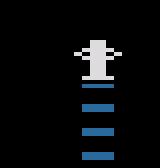
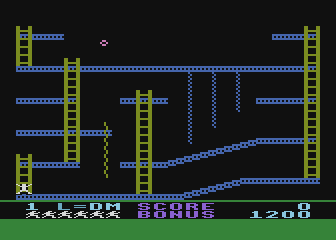
The following image shows jumpman in coordinates 34, c0:
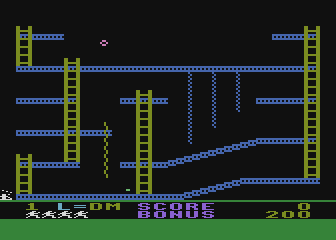
Jumpman can hang off the edge, e.g. here with coordinates 2e, c0:
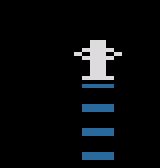
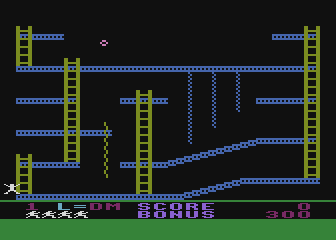
Here’s poor ol’ dead jumpman at 2a, c6:
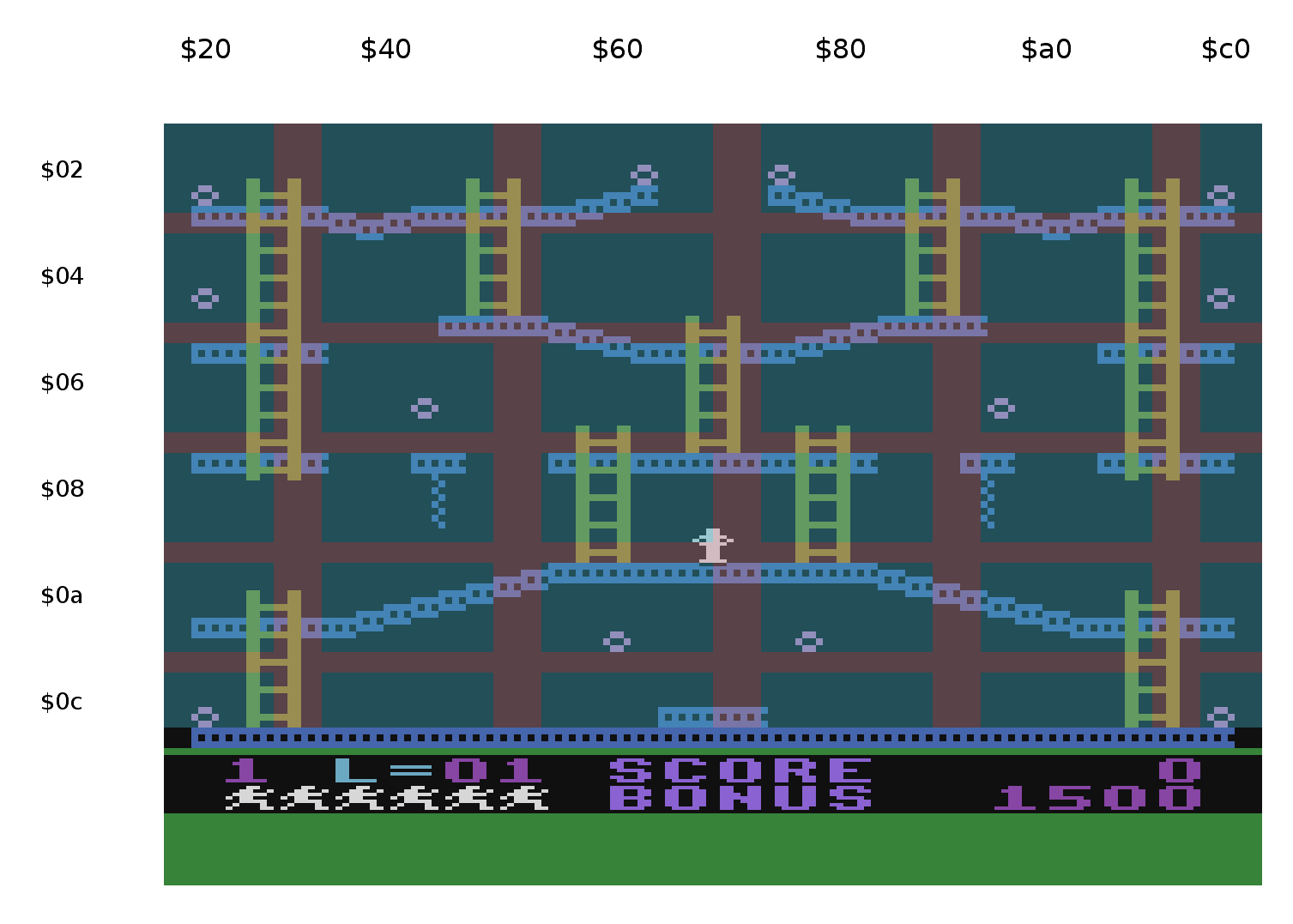
And here he is at the top right of this level: c4, 20:
Due to the original design of Jumpman, bomb placement is limited. The screen is divided up into 64 grid squares, and only one bomb is allowed per grid square. (If you place more than one, the wrong one can disappear when taken and things get wonky quickly.)
The code uses Jumpman’s X and Y player/missile coordinates in 306a and 306f, then runs it through this equation to get a single checksum value for the bomb location (c.f. Code at $4b1a) The coordinates (c.f. Code at $49d5) which means the X range is the 30 - c6 and the Y range is 20 - c0. An X coordinate of 30 corresponds to the left edge of the playfield graphics. It seems a lot of the levels don’t start at the left edge but instead 4 pixels in, so a common X minimum is 34. So, the equation in Jumpman coords would be:
(($306a + $2846) & #$e0) + ((($306f + $2847) & #$e0)/$10)
It turns everything into an 8x8 grid, that means only 64 possible places that can be in the table.
For the level Easy Does It, the X offset in 2846 is 0 and the Y offset in 2847 is 6. Here’s a visualization, where the blue shaded areas are OK to place bombs, and the red shaded areas must not contain bombs:
The Jumpman level editor includes this grid when placing bombs on the screen.
Jumpman position of 34, 20, so way at the top left of the screen (the upper-most block in the image above) would produce a checksum of (($34 + 0) & $e0) + (($20 + $6) & $e0)/$11 = $22
So to create the checksum using the bomb location, I think you’ll have to add the value of $34 to the bomb X location and the value of $20 to twice the Y bomb location, then run it through the modified equation. Because the player/missile graphics use single line resolution and the graphics is in Graphics 7, Jumpman has twice as many vertical positions as bomb vertical coordinates. The machine language routine in the code that calculates the checksum is based on there is twice the resolution for the input coordinates to this checksum routine.
((bomb_x + $34 + $2846) & #$e0) + ((((bomb_y * 2) + $20 + $2847) & #$e0)/$10)
I’m not sure of the exact offset between the bomb coordinates and the jumpman coords. It might be off by a couple, so the bombs near the edges of each one of the cells in the 8x8 grid might be wrong. We’ll have to experiment.
Experiment with Play The Demo: harvest table = XX 2e 08 4b 28 4c 28 ff. This defines a single bomb at 2e, 08. The goal is to figure out what XX should be. $2846 is 0, $2847 is 6, so the checksum equation says:
Or, in parts:
the X part = ($2e + $34 + $00) & $e0 = $60
The Y part = ($08*2 + $20 + $06) & $e0 = $20,
Together: checksum = $60 + ($20 / $10) = $62
Here’s the code that calculates the checksum:
.org $4b1a
lda $284e ;harvest table checksum calculation for bomb lookup
sta $ba
lda $284f
sta $bb
lda $306a
clc
adc $2846
and #$e0
sta $bc
lda $306f
clc
adc $2847
and #$e0
lsr a
lsr a
lsr a
lsr a
ora $bc
sta $bc
Use https://www.savetz.com/jumpman/ to create a new level or modify an existing level.
Some levels have special features that can’t yet be created or modified in the level editor. These include:
Easy Does It (level 1) has unused custom level code at $2900 and $2a00, plus unused graphics at $2b00. Those graphics are duplicated in all 3 Mystery Maze levels. What did Glover have in mind?
Robots I contains a copy of graphics from The Roost. So do Vampire and Invasion.
Robots I also has some unused mystery code (which looks unusable) at 2b00. And unused data at 2a6a-2ab2.
The Robots unused mystery code is duplicated in Roll Me Over at 2b00.
Was a 5th prize being considered for Grand Puzzle II?
There are unused graphics in Grand Puzzle I and III.
Bombs Away uses two simultaneous falling bombs, but the level is set up to handle three. For some reason, the combined-missile Player is deactivated. Change $29c3 from $ff to $0 to activate it. Also change $29ab to c3 so it makes the falling sound.
Bombs away has unused data at 2ac0-2ad3.
Now that we have a level editor, hand-coding the level definition table is not recommended. However, here are some examples for posterity:
Girder on bottom, as low and long as possible: fc 00 40 fd 04 55 26
Girder along the top: fc 00 40 fd 04 01 26
Jumpman can stand on top of that.
(Using 00 for the y seems to work, but things go bad when the game ends/the level collapses filling the screen with blue instead of black, and that goes on for a laughably long time)
Climbable girder stack on the left: fc 00 40 fe 00 03 fd 04 01 21
On the right: fc 00 40 fe 00 03 fd 98 01 21
This error screen will appear when a peanut is placed in one of the red shaded areas and is collected by Jumpman. Thanks to the checks built in to the level editor, you’ll probably never see this screen.
00BC CHECKSUM: XX <-- this is the value it computed as the entry into the harvest table using the 4 params below
284E OFFSET X: XX <-- this is the X shift value for the peanut mask, the hx value in my lookup table
284F OFFSET Y: XX <-- the Y shift value for the peanut mask, the hy value in my lookup table
306A JUMPMAN X: XX <-- the player position for Jumpman
306F JUMPMAN Y: XX
PEANUT TABLE: XXXX <-- the address of the harvest table in the level. I really should rename this as HARVEST TABLE
subsequent lines are the checksum values in the harvest table. It will print out a list of all the checksum values until it hits FF
The music driver at 32b0 looks for an available voice and uses the first available slot it finds. Slots are defined by the 4 bytes at 3030, 3032, 3034, 3036. If there is a positive number there, something is using that voice.
The procedure to start playing something seems to be load 3040 & 3041 with the address of your music list, load the accumulator with a number that represents the length of each note: $01 is long and $ff is very short. (This doesn’t change the tempo, just note length.) Then, JSR to 32b0 to submit the music list to the player which plays during the vertical blank.
Here’s a routine at $3760 that plays something:
lda #$4e
sta $3040
lda #$37
sta $3041
lda #$04
jsr $32b0
where the music list at 374e is “01 81 04 01 00”. Here’s another example is at $3ae3:
lda #$ca
sta $3040
lda #$3b
sta $3041
lda #$08
jsr $32b0
Where the music list at 3bca is “01 a5 79 04 60 04 51 04 3c 04 51 04 60 04 79 04 00” . (That’s the Jump sound)
Music lists are for a single voice. For a more voices, you must make successive calls to 32b0 with separate music lists.
The list is processed two or three bytes at a time: the first byte may be a special flag byte of 1, 2 or 3. If it reads one of these flags, it processes it as a command and looks at the next one or two bytes:
1: next byte gets stored in AUDCx register
2: next byte gets stored in AUDCTL
3: take next 2 bytes and JSR there (a user defined subroutine)
If the byte is not 1, 2, or 3, it is considered a note: the byte is stored in the AUDFx register. The following byte is a priority byte of 1-4. Priority 4 notes take priority over everything else, and will override any priority 1-3 notes if all 4 channels are in use. Priority 1 notes are good for background sounds etc, as they will be overirdden by more important noises like the jumping sound, bang of bullets, etc.
The music list is zero-terminated.
So: 01 a5 79 04 60 04 51 04 3c 04 51 04 60 04 79 04 00
01 next byte gets stored in AUDCx register
a5 this goes in AUDCx register
79 a note
04 high priority
60 a note
04 high priority
…
00 end of sound data
Wait for sound to get done playing:
@1: lda $3030
ora $3032
cmp #$00
bne @1 ; wait for voices 0 and 1 to get done playing
Custom code on a level allows you to add things like Player enemies (eg Robots), custom behaviors of non-enemy objects (Ladder Challenge), and special actions upon taking peanuts (eg getting extra points and a lovely on-screen “500” for certain peanuts on Grand Puzzles.)
There are four vectors where the game can access custom code:
Kay made a short video at https://www.youtube.com/watch?v=_RRrynvRbZs that shows in the quickest possible way how to create custom code with each of the three typical vectors.
The vector pointed to by 283b-283c is typically 2880 or 2860. This code is run after the level scrolls into view: it’s responsible for doling out Jumpmen as long as there are lives left, and ending the level when you’ve gotten all the peanuts, or ending the game when you’ve run out of lives.
It makes Jumpman appear and plays the appearance sound. Then a little loop waits until you’ve either taken all the peanuts or die. If you die, it gives you another life if you have one, or ends the game, crumble crumble crumble.)
It may be a little underwhelming, but this is the main game loop. (In reality, most of the work goes on behind the scenes during the VBI.)
You might be tempted to stuff all your level initialization stuff here for P/M graphics and whatnot, but I don’t think you should. More often than not, Glover used exactly the same basic code here on every level (see Ladder Challenge:2880 for this typical code), and does any initialization routines as part of the “run constantly” code.
Well, sometimes he does do P/M graphics setup and other initialization here. My gut is that you only should do that here if you need things to reset to a known state every time Jumpman (re)appears on the level.
I reserve the right to change my mind on this later as we figure things out, but right now my feeling is that although you can use this opportunity for custom code, you probably shouldn’t.
Here’s the basic code used on several levels:
$2880 JSR $49d0 ;Play appear tone, fade Jumpman into view
$2883 JSR $4b00 ;Maintain peanut harvest
LDA $283e ;are there 0 peanuts left to take?
CMP #$00
BEQ $289e ;completed the level!
LDA $30be ;Is Jumpman super dead yet?
CMP #$08
BCC $2883 ;if it's <8, loop back, just keep
watching the peanut count and if he's dead
LDA $30f0 ;Too bad, he's dead. # lives left?
CMP #$ff ;end game if it’s -1
BNE $2880
JMP $283f ;jump to lost last life vector, crumble crumble
$289e JMP ($2844) ;jump to successful completion of level vector
This code runs once, when a particular peanut is taken. Put the code somewhere in the free space in the level. End with RTS. Point to the start of your code from the Harvest Table entry for that peanut (See “vector to subroutine to run when peanut is taken”, above.) If you’re using the level editor, select the peanut and choose the trigger callback in the right-hand menu to select the address of the routine to run when this peanut is taken.
This code runs once each time any peanut is taken. E.g. The robots in Robots I move only when you take a peanut. Put the code somewhere in the free space in the level. End with RTS. Point to the start of your code from 2849-284a. (See “subroutine within the level to jump to, every time a peanut is taken” above). If that functionality isn’t needed, the default is at 2849-284a 4b28, which is always RTS.
Sometimes you want your custom code to run constantly during the level: e.g. the robots in Robots 2 are always moving along their path. The ladder in Ladder Challenge is always moving back and forth. These routines are run during the vertical blank interval at the end of every TV frame, so they are triggered at a constant rate during gameplay, 60 times per second (50 if on a PAL system).
Put the code somewhere in the free space in the level. Typically Glover put it at $2900. Always end the code with JMP $311b (not RTS.) Point to your code from one (or possibly more) of the vectors at 2802-2809 (see “2802-2809”, above.) These 8 bytes comprise a jump table of 4 addresses that are called on a constant basis during the game.
Note that there can be multiple entry points for your code, which are run in turn. Ladder Challenge, for instance, has entry points at $2900 (which handles initialization and ladder movement) and $29b8 (which handles collisions with the ladder and barriers.)
The Jumpman level editor can handle all 4 of the vertical blank routines.
The best way to see how this code works is to see how Glover did it. Kay has documented the code for two levels: The Roost and Ladder Challenge. Both use Players, but in rather different ways. You can also see the original post announcing Kay’s documentation here: http://atariage.com/forums/topic/255262-jumpman-level-design-contest/?p=3573981
Here’s how to kill Jumpman: e.g. put him into “fall to the bottom of the screen” mode. This is all you have to do, the game takes care of the rest.
LDA #1
STA $30bd
Here’s how to add to the score manually. Assuming 50 points here ($32)
ad f5 30 18 69 32 8d f5 30 ad f6 30 69 00 8d f6 30 ad f7 30 69 00 8d f7 30 20 e9 46
LDA $30F5
CLC
ADC #$32
STA $30F5
LDA $30F6
ADC #$00
STA $30F6
LDA $30F7
ADC #$00
STA $30F7
STX $2fff optional: save the X register somewhere: the score display routine clobbers it
JSR $46E9 force score display to update
LDX $2fff reload X register
Add 400 points (e.g. took a 500-point peanut. 100 regular + 400)
LDA $30F5
CLC
ADC #$90
STA $30F5
LDA $30F6
ADC #$01
STA $30F6
LDA $30F7
ADC #$00
STA $30F7
STX $2fff optional: save the X register somewhere: the score display routine clobbers it
JSR $46E9 force score display to update
LDX $2fff reload X register
The reference disk image that we have been using is the image available on AtariMania, cracked by an unknown hacker. The original disk was copy protected but at this time we do not have access to an original disk or an ATX image of the original protected disk.
There is an image available on atarionline.pl that has a different sector map (i.e. the levels are in different places than listed in the sector map above).
Referring to our working disk image, there are several places where seemingly random data is encoded into the level data. For example, Jumping Blocks at $2a13 through $2aff has what looks like some raw assembly source:
as does Builder. In fact, Builder has more of what looks to be the same assembly source. It starts at $2900 and continues through $2aff, where the part at $2a13 - $2aff is exactly the same as the code in Jumping Blocks.
My initial assumption was that this code is code left over from the hacker and not Glover’s code, but examining the version found at atarionline.pl shows that this same code exists in the same places in that version as well. Rob has imaged the pirated copy he obtained in 1984 and also contains this same code. The provenance of these 3 versions is unknown, so despite their similarity they could have all descended from the same original hack.
Circumstantially, though, it is quite possible that this is left over from Glover’s compilation process. The bytes in Builder assemble to the level data at $2d53 through $2dbd. The snippet in Jumping Blocks is a subset of the same assembly text, so it doesn’t assemble to the level data in Jumping Blocks, it assembles to a smaller chunk of the level data in Builder.
2800-2801: level_number: 3032 (02 in atascii)
2802-2803: vbi1: 2900
2804-2805: vbi2: 311b
2806-2807: vbi3: 311b
2808-2809: vbi4: 490a (which points to the default vbi4)
280a: color_border: c6
280b: color_unused: 94
280c: color_lives_prefix: aa
280d color_words: 78
280e color_lives: 0f
280f color_score_background: 00
2810,2811: dead_begin: 4200 (points to the standard call)
2812,2813: dead_at_bottom: 4580 (points to the standard call)
2814,2815: dead_falling: 311b (points to the standard routine)
2816-2817: kill_check: 30e0 (points to the standard routine)
2818-2823: ladder_columns: 34 4c 68 7c 90 a0 c4 00 00 00 00 00
2824-2829: downrope_columns: 00 00 00 00 00 00
282a: color_jumpman: 0f
282b: color_shadow: 00
282c: color_p2: 28
282d: color_p3: c6
282e: color_girder_uprope: 96
282f: color_ladder_downrope: 18
2830: color_peanut: 5a
2831: color_bullet_p4: ca
2832: color_background: 00
2833,2834: points_peanut: 64 (decimal 100)
2835,2836: points_bonus: 05dc (decimal 1500)
2837,2838: level_def_table: 2c00
2839: jumpman_start_x: bc
283a: jumpman_start_y: c0
283b,283c: gameloop: 2880
283d: num_bullets: 0
283e: num_peanuts: 0c
283f: jmp_target_out_of_lives: 4c
2840-2841: out_of_lives: 4ffd
2842,2843: sector_next_level: 0031
2844-2845: level_complete: 4c00
2846: harvest_x: 00
2847: harvest_y: 06
2848: 20 (always a JSR)
2849-284a: collect_callback: 284b
284b: 60 (always RTS)
284c: ff (always FF because target for harvest table if no action to be taken)
284e,284f: harvest_addr: 2cb2
This is the standard game loop that fades in jumpman, checks the number of lives left, and either moves on to the next level or ends the game if the player runs out of lives. All the work moving the robots when peanuts are collected happens is the vbi1 routine, documented below.
2900 lda L30bd ; VBI entry point.
2903 cmp #$02 ; if Jumpman is super dead
2905 bne L2912
2907 L2907 jmp L311b ; exit the custom level stuff
290a L290a lda #$00 ; after the 2x loop
290c sta L2850 ; clear peanut taken flag
290f jmp L311b ; exit
2912 L2912 lda L2a5c ; $2a5c is Are Players initialized?
2915 cmp #$00
2917 bne L291c
2919 jmp L2a0c ; Go initialize Players.
291c L291c jsr L41e0 ; Players are already initialized.
291f bne L2907 ; exit 1/4 of the time. Why?
2921 inc L2a65
2924 lda L2a65 ; alternates between 0 and 1 for animation
2927 and #$01
2929 sta L2a65 ; alternate it
292c ldx #$ff
292e L292e inx ; this loop is done twice, as 0 and 1
292f cpx #$02
2931 beq L290a ; exit the loop
2933 lda L2a5a,x ; is robot already on the move to a destination?
2936 cmp #$00
2938 bne L2990 ; If so, JMP away
293a lda L2850 ; Robot is not on the move.
293d cmp #$00 ; Has a peanut just been taken?
293f bne L2955 ; If so, JMP away
2941 lda L2a66,x ; Nope. No robots are moving, so just animate in place. 2a66 Counts 1-4
2944 and #$03 ; set the image for each robot
2946 sta L2a66,x ; to one of the first 4 graphics
2949 inc L2a66,x ; rotating in order
294c lda L2a66,x ; their graphics move in unison
294f sta L3076,x ; Set image data for Player 2/3
2952 jmp L292e ; next loop
2955 L2955 jsr L29da ; Oh boy a peanut has been taken
2958 lda #$01 ; reminder: we're in a loop where X will be 0 or 1
295a sta L2a5a,x ; Set this robot is on the move
295d lda L2a61,x ; get pointer to next 3-tuple of movement data, LB
2960 sta L00cb ; cb-d1 are scratch 0-page addresses
2962 lda L2a63,x ; starts by loading cb-cc with 2e00 when X=0 and 2f00 when X=1
2965 sta L00cc
2967 ldy #$00
2969 lda (L00cb),y ; load 2e00, e.g. This is the robot's X change.
296b sta L2a5d,x ; remember robot's X change
296e iny
296f lda (L00cb),y ; load 2e01, e.g.
2971 sta L2a5f,x ; remember robot's Y change
2974 iny
2975 lda (L00cb),y ; load 2e02, e.g.
2977 sta L2a68,x ; remember robot move counter
297a lda L2a61,x ; pointer to next 3-tuple of movement data
297d clc
297e adc #$03 ; set up pointer to read next set
2980 sta L2a61,x
2983 lda L2a68,x ; get robot move counter
2986 cmp #$00
2988 bne L292e ; if >0, iterate X to next robot
298a sta L2a5a,x ; robot's not to its destination yet, store counter in the On The Move? byte
298d jmp L292e ; iterate X to next robot
2990 L2990 dec L2a68,x ; Robot is not to its destination. Move a step. Decrement robot move countdown.
2993 beq L2955 ; if its 0, jump to oh boy a peanut has been taken
2995 lda L306c,x ; get Horizontal position of robot
2998 clc
2999 adc L2a5d,x ; add robot X change
299c sta L306c,x ; change robot's X
299f clc
29a0 lda L3071,x ; get Vertical position of robot
29a3 adc L2a5f,x ; add robot Y change
29a6 sta L3071,x ; change robot's Y
29a9 lda L2a5d,x ; get robot X change again
29ac cmp #$02 ; Show graphic for robot facing the right way, and animate. is it going 02 (right)?
29ae beq L29b9
29b0 cmp #$fe ; is it fe (left)?
29b2 beq L29be
29b4 lda #$05 ; robot's X is not changing (it's on a ladder)
29b6 jmp L29c3
29b9 L29b9 lda #$01 ; it's 02 right, so use image 1 (or 2)
29bb jmp L29c3
29be L29be lda #$03 ; its fe left, so use image 3 (or 4)
29c0 jmp L29c3 ; this JMP is silly.
29c3 L29c3 clc ; A is loaded with a pointer to a different image based on X movement
29c4 adc L2a65 ; add 0 or 1 to animate movement
29c7 sta L3076,x ; Set image data for robot
29ca jmp L292e ; end of loop; NEXT X
29cd lda #$00 ; THIS CODE IS UNREACHABLE
29cf sta L2a5a,x ; UNREACHABLE:Store that robot has reached its destination, no longer moving
29d2 lda #$01 ; UNREACHABLE:
29d4 sta L2a66,x ; UNREACHABLE:reset 1-4 counter back to 1 for standing still animation
29d7 jmp L292e ; UNREACHABLE:iterate loop; NEXT X
29da L29da lda #$f1 ; sound subroutine
29dc sta L3040
29df lda #$29 ; load address of sound
29e1 sta L3041
29e4 stx L29f0 ; temp. storage of X register. Basically, a PHX
29e7 lda #$07
29e9 jsr L32b0 ; submit the sound list to the player for robot sound
29ec ldx L29f0 ; reset X register after JSR. PLX equiv.
29ef rts ; end sound subroutine
29f0 L29f0 .byte 00 ; Temporary storage of X in the sound routine.
29f1 .byte 01a21401f0013c01 ; Robot sound data
29f9 .byte c8016401a0018c01
2a01 .byte 78017d0173018201
2a09 .byte 6e0100
2a0c L2a0c lda #$00 ; PM Initialization
2a0e sta L3080 ; old Y position of Player 2
2a11 sta L3081 ; old Y position of Player 3
2a14 lda #$6a
2a16 sta L305d ; image data LB for Player 2
2a19 sta L305e ; image data LB for Player 3
2a1c lda #$2a
2a1e sta L3062 ; image data HB for Player 3
2a21 sta L3063 ; image data HB for Player 3
2a24 lda #$0c
2a26 sta L3067 ; image data bytes per image for Player 2
2a29 sta L3068 ; image data bytes per image for Player 3
2a2c lda #$01
2a2e sta L3076 ; Set image data for Player 2
2a31 sta L3077 ; Set image data for Player 3
2a34 lda L2a5d
2a37 sta L306c ; Horizontal position of player 2
2a3a lda L2a5e
2a3d sta L306d ; Horizontal position of player 3
2a40 lda L2a5f
2a43 sta L3071 ; Y position of Player 2
2a46 lda L2a60
2a49 sta L3072 ; Y position of Player 3
2a4c lda #$01
2a4e sta L3058 ; P2 active
2a51 sta L3059 ; P3 active
2a54 inc L2a5c ; Mark players as initialized
2a57 jmp L311b ; exit
2a5a L2a5a .byte 00 ; Player 2 on the move? 0=reached destination
2a5b .byte 00 ; Player 3 on the move? 0=reached destination
2a5c L2a5c .byte 00 ; Are Players initialized? 1=yes
2a5d L2a5d .byte 98 ; Player 2 robot X change
2a5e L2a5e .byte 44 ; Player 3 robot X change
2a5f L2a5f .byte be ; Player 2 robot Y change
2a60 L2a60 .byte 32 ; Player 3 robot Y change
2a61 L2a61 .byte 00 ; Player 2 pointer to next 3-tuple of movement data, LB
2a62 .byte 00 ; Player 3 pointer to next 3-tuple of movement data, LB
2a63 L2a63 .byte 2e ; Player 2 pointer to 3-tuples of movement data, HB (this never changes)
2a64 .byte 2f ; Player 3 pointer to 3-tuples of movement data, HB (this never changes)
2a65 L2a65 .byte 00 ; alternates between 0 and 1 (for animation)
2a66 L2a66 .byte 01 ; Counts 1-4 for Player 2 robot animation
2a67 .byte 01 ; Counts 1-4 for Player 3 robot animation
2a68 L2a68 .byte 00 ; Player 2 robot move countdown
2a69 .byte 00 ; Player 3 robot move countdown
Every time a peanut is taken, this code is called using the trigger function in the harvest table. This simple routine sets a flag at location $2850 that is checked in the vbi1 code (at address $293a in the code above).
2d07 lda #$01 ; Trigger: any peanut taken
2d09 sta L2850 ; $2850 is "a peanut has been taken"
2d0c rts
This level uses the standard gameloop and vbi1.
2900 lda L30bd
2903 cmp #$02 ; if Jumpman is dead at the bottom of the screen, skip all this
2905 bne L290d
2907 jmp L311b
290a L290a jmp L2a2d ; deal with enemy color changing and attack sounds 1/4 of the time
290d L290d jsr L41e0 ; this returns 1 every fourth time.
2910 bne L290a
2912 inc L2ace
2915 lda L2ace
2918 and #$01
291a sta L2ace ; 2ace alternates 0 and 1
291d ldx #$ff
291f L291f inx ; iterate through Player memory: Missiles, 2, and 3
2920 cpx L2acd ; 2acd is always 5. So iterate through until X=5
2923 beq L290a
2925 cpx #$01 ; skip P0 ("zone" 1 in player memory map)
2927 beq L291f
2929 cpx #$02 ; skip P1 ("zone" 2)
292b beq L291f
292d lda L2a80,x ; get byte of graphics
2930 cmp #$00 ; if it's first time, initialize
2932 bne L2976
2934 lda #$85 ; initialize
2936 sta L305a,x ; image data LB
2939 lda #$2a
293b sta L305f,x ; image data HB
293e lda #$08
2940 sta L3064,x ; image data bytes per image
2943 lda #$01
2945 sta L3073,x ; start with graphic #1
2948 sta L3055,x ; activate all players in turn
294b sta L2a80,x ; remember this Player has been initialzied
294e lda #$c2
2950 sta L306e,x ; set Y of enemy Player
2953 lda #$7c
2955 sta L3069,x ; set X of ememy Player
2958 cpx #$00 ; except we don't really want them
295a beq L2966 ; all starting in the same X
295c cpx #$03 ; so space them nicely
295e beq L296e
2960 sta L3069,x ; for Player 3
2963 jmp L291f
2966 L2966 lda #$54 ; for the combined-Missile Player...
2968 sta L3069,x ; change its starting X
296b jmp L291f
296e L296e lda #$a4 ; for Player 2
2970 sta L3069,x ; change its starting X
2973 jmp L291f
2976 L2976 lda L306e,x ; get Y of emeny
2979 sec
297a sbc #$02 ; it ascends
297c cmp L306f ; compare enemy Y to Jumpman Y
297f beq L29e9 ; if they're equal, go to attack mode
2981 cpx #$00 ; For the Combined Missile Player...
2983 bne L298b
2985 lda L30a0 ; get Combined Missile-to Playfield collision byte
2988 jmp L298e
298b L298b lda L3093,x ; but for the other enemy Players (2 and 3) get their collission register
298e L298e cmp #$00 ; If that Player is colliding with the playfield...
2990 bne L29d8 ; ...jump to 29d8 to put it in floating up mode
2992 lda L306e,x ; So Player is in X adjust mode, wants to move up and move its X towards Jumpman's X
2995 sec
2996 sbc #$02 ; move Player up
2998 cmp #$05
299a bcc L29cd ; if too far up, de-initialize that Player. It'll be re-initialized at the screen bottom later.
299c sta L306e,x ; save that new Player Y
299f lda L3069,x ; Get Horizontal position of this Player
29a2 cmp L306a ; compare to jumpman X
29a5 bcs L29b5
29a7 clc
29a8 lda L3069,x ; Jumpman is to Player's right
29ab adc #$02 ; move right
29ad sta L3069,x ; Save new Player X
29b0 lda #$06 ; save this 6 for later. This will be the Graphic number (6 or 7)
29b2 jmp L29c0
29b5 L29b5 lda L3069,x ; Jumpman is to Player's left
29b8 sec
29b9 sbc #$02 ; move left
29bb sta L3069,x ; Save new Player X
29be lda #$08 ; save this 8 for later. This wil be the Graphic number (8 or 9)
29c0 L29c0 pha
29c1 lda L2acf ; 2acf is this level's What Sound To Make byte. Bit 1 means some emeny is in X adjust mode.
29c4 ora #$01
29c6 sta L2acf
29c9 pla ; Retrieve that saved number...
29ca jmp L2a23 ; To be continued...
29cd L29cd lda #$00 ; routine to un-initialize a Player
29cf sta L2a80,x ; un-initalize the Player
29d2 sta L3055,x ; deactivate the Player
29d5 jmp L291f
29d8 L29d8 lda #$01 ; No collision with playfield, continued
29da sta L3073,x ; graphic 1 (floating up)
29dd lda L306e,x ; get Y of emeny
29e0 sec
29e1 sbc #$01 ; ascend a line
29e3 sta L306e,x ; save new enemy Y
29e6 jmp L291f
29e9 L29e9 lda L2acf ; start attack mode
29ec ora #$02
29ee sta L2acf ; Remember that some enemy is in attack mode.
29f1 lda L3069,x ; get X of enemy
29f4 cmp L306a ; jumpman X
29f7 bcs L2a0e
29f9 lda L3069,x ; jumpman is to enemy's right
29fc clc
29fd adc #$02 ; so move the enemy right
29ff sta L3069,x ; save new enemy X
2a02 lda #$02
2a04 clc
2a05 adc L2ace ; 2ace is 0 or 1, so this=2 or 3
2a08 sta L3073,x ; use graphic 2 or 3
2a0b jmp L291f
2a0e L2a0e lda L3069,x ; jumpman is to enemy's left
2a11 sec
2a12 sbc #$02 ; so move enemy left
2a14 sta L3069,x ; save new enemy X
2a17 lda #$04
2a19 clc
2a1a adc L2ace ; 2ace is 0 or 1 so this is 4 or 5
2a1d sta L3073,x ; use graphic 4/5
2a20 jmp L291f
2a23 L2a23 clc ; ...X adjust mode, continued.
2a24 adc L2ace ; add our saved number to 0 or 1
2a27 sta L3073,x ; And that's our new graphic for the Player
2a2a jmp L291f
2a2d L2a2d lda L30b8 ; Get Color 0 in Score area. This is constantly changing.
2a30 sta COLOR3 ; Combined Missile Player Color
2a33 sta PCOLR2 ; Player 2 Color
2a36 sta PCOLR3 ; Player 3 Color
2a39 lda L2ace ; This switches between 0 and 1
2a3c cmp #$01
2a3e beq L2a68 ; ...So Half The Time...
2a40 lda L2acf ; Should we be making a sound based on enemy movements?
2a43 cmp #$00 ; if its 0, we're done here
2a45 beq L2a53
2a47 cmp #$01 ; if its 1, X adjust mode sound
2a49 beq L2a5b
2a4b cmp #$02 ; if its 2, attack mode sound
2a4d beq L2a73
2a4f cmp #$03 ; if bits 1 and 2, attack mode sound takes preceince over X adjust sound
2a51 beq L2a73
2a53 L2a53 lda #$00 ; nah, it's 0
2a55 sta L2acf ; reset 2acf to 0
2a58 jmp L311b
2a5b L2a5b lda #$81 ; its 1, so...
2a5d sta AUDC2 ; AUDC2 - make a noise
2a60 lda #$20
2a62 sta AUDF2 ; AUDF2 - make a noise
2a65 jmp L2a53
2a68 L2a68 lda #$00 ; ...The Other Half of the Time, quiet...
2a6a sta AUDC2 ; AUDC2 quiet audio channel 2
2a6d sta AUDF2 ; AUDF2 quiet audio channel 2
2a70 jmp L2a53
2a73 L2a73 lda #$84 ; it's 2 or 3, so...
2a75 sta AUDC2 ; AUDC2 - make sound
2a78 lda #$10
2a7a sta AUDF2 ; AUDF2 - make sound
2a7d jmp L2a53
This level uses the standard game loop and two VBIs, vbi1 and vbi2.
2900 lda L30bd ; Jumpman alive flag
2903 cmp #$02 ; if he's dead at the bottom of the screen, exit this routine
2905 bne L290a
2907 L2907 jmp L311b ; VBI driver
290a L290a jsr L41e0 ; ?
290d bne L2907 ; ?loop until ?
290f lda L29b7 ; check initialized? byte
2912 cmp #$00
2914 beq L293d ; 1st time, go initialize
2916 lda L29b6 ; get ladder X change - 02 or FE
2919 sta L29b5 ; save as old ladder X change
291c clc
291d adc L306d ; add that to current ladder X position
2920 sta L306d ; and move the ladder to new X
2923 sta L30d2 ; make it a valid ladder position
2926 cmp #$62 ; < ladder L extreme?
2928 beq L2931
292a cmp #$96 ; > ladder R extreme?
292c beq L2931
292e jmp L2907
2931 L2931 lda #$00 ; reverse ladder direction
2933 sec
2934 sbc L29b6
2937 sta L29b6
293a jmp L2907
293d L293d lda #$01 ; initialization
293f sta L3067 ; image data bytes per image for Player 2
2942 sta L3068 ; image data bytes per image for Player 3
2945 sta L3080 ; old Y position of Player 2 - forces Player do be drawn the 1st time
2948 sta L3071 ; Y position of Player 2
294b sta L3081 ; old Y position of Player 3 - forces Player to be drawn the first time
294e sta L3072 ; Y position of Player 3
2951 sta L3085 ; old image data for Player 2 - forces Player to be drawn the first time
2954 sta L3086 ; old image data for Player 3 - forces player to be drawn the first time
2957 sta L3076 ; Set image data for Player 2
295a sta L3077 ; Set image data for Player 3
295d lda #$7c
295f sta L306d ; P3 (ladder) starting X
2962 lda #$70
2964 sta L306c ; P2 (barriers) X position
2967 lda #$06 ; Barriers are in $6600 zone, so are Player 2
2969 sta L6648 ; top barrier grafx
296c sta L6649 ; second line for thickness
296f lda #$18
2971 sta L666c ; middle barrier grafx
2974 sta L666d ; second line for thickness
2977 lda #$60
2979 sta L6692 ; bottom barrier grafx
297c sta L6693 ; second line for thickness
297f lda #$0d ; #ladder segments to copy
2981 sta L00cb
2983 ldy #$42
2985 L2985 ldx #$00
2987 L2987 lda L29ad,x ; copy ladder to PM
298a sta L6700,y ; Ladder is in $6700 zone, so Player 3
298d iny
298e inx
298f cpx #$08
2991 bne L2987
2993 dec L00cb
2995 bne L2985 ; end copy ladder
2997 lda #$01
2999 sta L3058 ; barrier PM2 on
299c sta L3059 ; ladder PM3 on
299f inc L29b7 ; remember initialization has been done
29a2 lda #$03
29a4 sta L3085 ; Old version of image data for Player 2
29a7 sta SIZEP2 ; SIZEP2 quadruple
29aa jmp L311b
29b8 lda L3098 ; Entry point #2. Copy of d008, M0PL
29bb ora L3099 ; copy of d009, M1PL
29be ora L309a ; copy of d00a, M2PL
29c1 ora L309b ; copy of d00b, M3PL
29c4 ora L309e ; copy of d00e, P2PL
29c7 and #$01 ; did P2 or any missle hit P1
29c9 cmp #$00
29cb beq L29d3
29cd sta L30bd ; gonna die - setting this to 1 puts Jumpman in "fall to his death" mode
29d0 L29d0 jmp L311b
29d3 L29d3 jsr L41c0 ; this returns 1 one-fourth of the time
29d6 bne L29f5
29d8 lda L30be ; Is jumpman super dead?
29db cmp #$08
29dd bcs L29d0 ; If so, loop around, wait for new Jumpman to reappear.
29df lda L309f ; copy of d00f, P3PL
29e2 and #$01 ; does the ladder touch Player 0 (Jumpman)?
29e4 cmp #$00
29e6 beq L2a12
29e8 clc ; Jumpman is touching P3 (ladder)
29e9 lda L306a ; Jumpman X
29ec adc L29b5
29ef sta L306a ; change Jumpman X based on ladder direction
29f2 jmp L2a09
29f5 L29f5 lda L309f ; copy of d00f - P3PL
29f8 and #$01 ; does P3 touch P1 (jumpman)?
29fa cmp #$00
29fc beq L29d0
29fe L29fe lda L3094 ; copy of d004 - P0PF
2a01 ora #$02 ; Force Color 2 bit. Hmm.
2a03 sta L3094 ; save it back. Hm.
2a06 jmp L29d0
2a09 L2a09 lda L30b8 ; borrow color 0 in score area (the flashing numbers)
2a0c sta PCOLR2 ; PCOL2 - changing barrier color
2a0f jmp L29fe
2a12 L2a12 lda #$0f ; jumpman not touching ladder...
2a14 sta PCOLR2 ; PCOL2 - make barriers white
2a17 jmp L29d0
The routine at 5400 controls a specialized drawing routine that is responsible for the “EPYX presents” logo and the flashing Jumpman name on the title screen marquee. It is designed for mode D graphics, but it’s unclear how it works, so this is a log of my attempt to understand it.
It appears that the graphics data used for this is stored in an array at 5470:
5470 L5470 .byte 4010040180200802
5478 .byte c0300c0300000000
5480 .byte 0400000000000000
5488 .byte 0c00000000000000
5490 .byte 0c00000000000000
5498 .byte 0c447bc7c7bc7c7c
54a0 .byte 0ccccccccccc0ccc
54a8 .byte 0ccccccccccc7ccc
54b0 .byte 0ccccccccccccccc
54b8 .byte 0ccccccccccccccc
54c0 .byte 0cf8888f8888f888
54c8 .byte 4c00000c00000000
54d0 .byte cc00000c00000000
54d8 .byte f800000800000000
54e0 .byte fe7e30cc60c06330
54e8 .byte cc60c06330cc60c0
54f0 .byte 6330c6c0fe6330c3
54f8 .byte 80c063198380c063
5500 .byte 0f06c0c063060c60
5508 .byte fe7e0c0c60006018
5510 .byte 00600060300060ff
5518 .byte ffffffe044245940
5520 .byte 851111493c47d100
5528 .byte 04925123c4245138
5530 .byte 8511114944441100
5538 .byte 8492512444245104
5540 .byte 84e08e4938238e00
5548 .byte 78924e2382239138
5550 .byte 0000000004000000
5558 .byte 00000400f0ce38e5
5560 .byte 9f38891141164440
5568 .byte 8a1f39f444388a10
5570 .byte 05044404f20e38e4
5578 .byte 4238800000000000
5580 .byte 80
5581 .byte 15*00
but it does not seem to be related to any other drawing code.
The first time it’s called is early on in the routine at 5600, the title screen subroutine. It appears to use several variables in the zero page, e0-ef, and some are apparently required to be initialized outside the subroutine. For instance, in this first call to 5400, these variables are initialized:
5638 lda #$e0
563a sta L00e3
563c lda #$54
563e sta L00e4
5640 lda #$78
5642 sta L00eb
5644 lda #$0f
5646 sta L00e0
5648 sta L00e2
564a lda #$70
564c sta L00e1
564e lda #$0c
5650 sta L00e9
5652 lda #$05
5654 sta L00e6
5656 jsr L55f8
55f8 L55f8 lda #$03
55fa sta L00e2
55fc jsr L5400
It’s unclear what any of this means at this point. It does write to the screen in the standard location, which is at 7000-7800, so it’s possible that the $70 stored in e1 and the $78 stored into $eb has something to do with the screen, but at this point that’s just a guess.
It seems the input values are:
E0 screen?
E1 screen?
E2 ?
E3 ?
E4 ?
E6 ?
E9 ?
EB screen?
Here’s the routine at 5400 in all its opaque glory, showing that several variables are copied: e6 -> e8, e2 -> ea, and eb is used for self-modifying code at 5465. This is the low byte of an ORA instruction, so eb is not directly related to the screen memory.
5400 L5400 lda L00e6
5402 sta L00e8
5404 lda L00e2
5406 sta L00ea
5408 lda L00eb
540a sta L5465
540d L540d jsr L5430
5410 lda #$28
5412 sec
5413 sbc L00e8
5415 sec
5416 sbc L00e8
5418 clc
5419 adc L00e0
541b sta L00e0
541d lda L00e1
541f adc #$00
5421 sta L00e1
5423 lda L00e8
5425 sta L00e6
5427 lda L00ea
5429 sta L00e2
542b dec L00e9
542d bne L540d
542f rts
5430 L5430 lda #$08
5432 sta L00e5
5434 ldy #$00
5436 lda (L00e3),y
5438 pha
5439 L5439 pla
543a asl a
543b pha
543c bcs L5460
543e L543e inc L00e2
5440 lda L00e2
5442 and #$03
5444 sta L00e2
5446 cmp #$00
5448 bne L5450
544a inc L00e0
544c bne L5450
544e inc L00e1
5450 L5450 dec L00e5
5452 bne L5439
5454 pla
5455 inc L00e3
5457 bne L545b
5459 inc L00e4
545b L545b dec L00e6
545d bne L5430
545f rts
5460 L5460 ldx L00e2
5462 lda (L00e0),y
5464 L5464 ora L5470,x
5467 sta (L00e0),y
5469 jmp L543e
The address 5470 is now looking like pixel data for each of the colors, since it is or’d with what is probably the screen data referenced by ($e0).
5470 L5470 .byte 40100401 ; pixel data for color 1
5474 .byte 80200802 ; pixel data for color 2
5478 .byte c0300c03 ; pixel data for color 3
547c .byte 00000000 ; pixel data for color 0 (for completeness?)
So, e0 is the destination for storing pixel data. It’s initially set to $700f back in the setup routine at 5644. The ORA at 5464 uses the X register as an index, using the value in e2. This value is initially set to 3 at the calling code at 55fa, but every time through the loop at 543e it increments this value but caps it at 3 – when it exceeds 3 it increments the e0 destination address.
E0 dest screen lo byte
E1 screen hi byte
E2 pixel x location in byte?
E3 source bitmap lo
E4 source bitmap hi
E6 ?
E9 ?
EB flag to select color of pixel; pointer to self-modifying code pixel array
OOH, is this a run length encoding algorithm???
It seems that the code at 543e is moving in the positive X direction by first changing the pixel within the byte, then advancing the byte.
543e L543e inc L00e2 ; move a pixel to the right
5440 lda L00e2 ; make sure pixel stays within byte
5442 and #$03
5444 sta L00e2
5446 cmp #$00 ; check if we need to advance to the next byte
5448 bne L5450 ; nope, still same byte
544a inc L00e0 ; yep, advance screen pointer
544c bne L5450
544e inc L00e1
5450 L5450 dec L00e5
5452 bne L5439
5454 pla
5455 inc L00e3
5457 bne L545b
5459 inc L00e4
545b L545b dec L00e6
545d bne L5430
545f rts
This does lead immediately to the end condition, so decrementing e5 until it’s zero falls through the check at 5452. But then we’re incrementing the 2 byte value at e3 and decrementing e6… but I don’t understand what those do yet. The code just before this at 5439 (that gets called when the decrement at 5450 is greater than zero) is what calls the drawing code:
5439 L5439 pla
543a asl a ; shift bit to be drawn
543b pha
543c bcs L5460 ; draw pixel if carry set
It calls the drawing code when the carry is set, meaning when the shift of the A register results in a number greater than 255. So this is just drawing or not drawing depending on if a bit is set or not.
Ok, e3 is the source address for the pixel data, and e6 looks like the number of bytes to use from the source address? The code immediately before 5439 looks like it always sets e5 to 8, so we’re drawing 8 pixels – which makes sense if we’re turning each bit of a byte into a pixel. So e5 is just a loop counter on the number of pixels that we’ve drawn.
5430 L5430 lda #$08 ; loop through each bit of the source byte
5432 sta L00e5
5434 ldy #$00
5436 lda (L00e3),y ; load the image byte
5438 pha
Now the remainder of the drawing code is more clear. It’s drawing the number of pixels of a source line of bytes. Here’s the fully commented section of code that draws a line of pixels. This makes it clear that e6 contains the number of bytes that will be drawn in a line.
5430 L5430 lda #$08 ; loop through each bit of the source byte
5432 sta L00e5
5434 ldy #$00
5436 lda (L00e3),y ; load the image byte
5438 pha
5439 L5439 pla
543a asl a ; shift bit to be drawn
543b pha
543c bcs L5460 ; draw pixel if carry set
543e L543e inc L00e2 ; move a pixel to the right
5440 lda L00e2 ; make sure pixel stays within byte
5442 and #$03
5444 sta L00e2
5446 cmp #$00 ; check if we need to advance to the next byte
5448 bne L5450 ; nope, still same byte
544a inc L00e0 ; yep, advance screen pointer
544c bne L5450
544e inc L00e1
5450 L5450 dec L00e5 ; number of bits remaining
5452 bne L5439
5454 pla ; clean up stack
5455 inc L00e3 ; advance image source address
5457 bne L545b
5459 inc L00e4
545b L545b dec L00e6 ; repeat for specified number of columns
545d bne L5430
545f rts
5460 L5460 ldx L00e2 ; load mask for pixel position
5462 lda (L00e0),y ; or the pixel to the screen
5464 L5464 ora L5470,x
5467 sta (L00e0),y
5469 jmp L543e ; continue to next pixel
Now it’s just the setup code to figure out.
5400 L5400 lda L00e6
5402 sta L00e8
5404 lda L00e2
5406 sta L00ea
5408 lda L00eb
540a sta L5465
540d L540d jsr L5430
5410 lda #$28
5412 sec
5413 sbc L00e8
5415 sec
5416 sbc L00e8
5418 clc
5419 adc L00e0
541b sta L00e0
541d lda L00e1
541f adc #$00
5421 sta L00e1
5423 lda L00e8
5425 sta L00e6
5427 lda L00ea
5429 sta L00e2
542b dec L00e9
542d bne L540d
542f rts
It’s still not clear to me how the height of the image is specified. The width in bytes is specified in e6, so perhaps e9 is the height as it’s the only value that’s decremented, and it seems like that’s the only way the subroutine returns, through the BNE check at 542d.
Let’s see, if we make that assumption, the e9 is the height, we should be able to look at the data and visualize the bitmap pattern. In the call to 5400 at the 5638, it sets the source address to 54e0, the width in e6 to 5 and the height in e9 to c. And sure enough, we can see the data:
Therefore, e9 is the height we know all the input parameters:
E0 dest screen lo byte
E1 screen hi byte
E2 pixel x location within screen byte
E3 source bitmap lo
E4 source bitmap hi
E6 width of pixmap in bytes
E9 height of pixmap in lines
EB flag to select color of pixel; pointer to self-modifying code pixel array
The final fully commented code:
5400 L5400 lda L00e6 ; width of image in bytes
5402 sta L00e8 ; save for later
5404 lda L00e2 ; pixel start within byte, 0-3
5406 sta L00ea
5408 lda L00eb ; color flag: $70 for color 1, $74 for color 2, $78 for color 3
540a sta L5465
540d L540d jsr L5430 ; draw first line
5410 lda #$28 ; each byte draws 8 pixels, so 2 bytes
5412 sec ; .. of screen ram for each byte
5413 sbc L00e8 ; .. of source pixels
5415 sec
5416 sbc L00e8
5418 clc ; add 40 - 2xsource width to find next line
5419 adc L00e0
541b sta L00e0
541d lda L00e1
541f adc #$00
5421 sta L00e1
5423 lda L00e8 ; reload counter with source width in bytes
5425 sta L00e6
5427 lda L00ea ; reload pixel start within byte
5429 sta L00e2
542b dec L00e9 ; number of lines in image
542d bne L540d
542f rts
5430 L5430 lda #$08 ; loop through each bit of the source byte
5432 sta L00e5
5434 ldy #$00
5436 lda (L00e3),y ; load the image byte
5438 pha ; save it on the stack rather than temp var
5439 L5439 pla ; get current source byte
543a asl a ; shift bit to be drawn
543b pha ; save result for next time through loop
543c bcs L5460 ; draw pixel if carry set
543e L543e inc L00e2 ; move a pixel to the right
5440 lda L00e2 ; make sure pixel stays within byte
5442 and #$03
5444 sta L00e2
5446 cmp #$00 ; check if we need to advance to the next byte
5448 bne L5450 ; nope, still same byte
544a inc L00e0 ; yep, advance screen pointer
544c bne L5450
544e inc L00e1
5450 L5450 dec L00e5 ; number of bits remaining
5452 bne L5439
5454 pla ; clean up stack
5455 inc L00e3 ; advance image source address
5457 bne L545b
5459 inc L00e4
545b L545b dec L00e6 ; repeat for specified number of columns
545d bne L5430
545f rts
5460 L5460 ldx L00e2 ; load mask for pixel position
5462 lda (L00e0),y ; or the pixel to the screen
5464 L5464 ora L5470,x ; self-modifying code lo byte of pixel within byte
5467 sta (L00e0),y
5469 jmp L543e ; continue to next pixel
This first call to 5400 from 5638 prints EPYX. The next call to 5400 is at 5659 that prints “presents”, which is 5 bytes wide and 9 lines tall:
The next call is at 5bb3, and uses a JMP so that the return from 5400 is used as the return to 5bb3. It’s really called from the title screen setup at
57bf lda #$b4 ; get Jumpman graphic drawn in marquee
57c1 sta L00e0 ; screen at 77b4
57c3 lda #$77
57c5 sta L00e1
57c7 lda #$08 ; 8 bytes wide
57c9 sta L00e6
57cb lda #$80 ; source pixmap at 5480
57cd sta L00e3
57cf lda #$54
57d1 sta L00e4
57d3 lda #$0c ; 12 lines high
57d5 sta L00e9
57d7 lda #$01 ; x offset of 1
57d9 sta L00e2
57db jsr L5ba0
Where 5ba0 is a small routine that copies the copyright notice to the bottom of the screen and then JMPs to 5400:
5ba0 L5ba0 ldx #$28 ; display copyright message
5ba2 L5ba2 lda L26d7,x
5ba5 clc
5ba6 adc #$20
5ba8 sta L7de7,x
5bab dex
5bac bne L5ba2
5bae lda #$02 ; change display list line in score area
5bb0 sta L3c5e ; to mode 2
5bb3 jmp L5400 ; draw the jumpman image on the marquee
The Jumpman data is at location 5480 and its bitmap looks like this:
The process from the main menu selection to the user playing a level begins once Start is pressed. The code at 24c9 begins the level load process by using the value of 2603 as an index into the sector start table, initializing a few variables, and jumping to a00.
24dd ldy L2603
24e0 lda L2507,y
24e3 sta L30ee
24e6 lda L250d,y
24e9 sta L30ef
24ec lda #$00
24ee sta L51c9
24f1 sta L4106
24f4 jsr L3780
24f7 jsr L2640
24fa lda #$10
24fc sta L51c7
24ff lda #$27
2501 sta L51c8
2504 jmp L0a00
The code at a00 displays the “Number of players?” screen and waits for a keypress. A strange value of $34 is stored in the Jumpman speed parameter, perhaps used as a flag later (we’ll see), and JMPs to 261a.
0a00 jsr L0fd5
0fd5 L0fd5 lda #$00
0fd7 sta COLOR4
0fda sta L4cfc
0fdd jmp L0df6
0df6 L0df6 lda #$01
0df8 sta L4106
0dfb jsr L3100
3100 L3100 ldy #$1b ; set gameplay VBI
3102 ldx #$31
3104 lda #$07
3106 jsr SETVBV
3109 lda #$00
310b sta L3018 ; set VBI index
310e sta L301c ; counter 4
3111 sta L301d ; counter 5
3114 sta L301e ; counter 6
3117 sta L301f ; inside VBI flag?
311a rts
0dfe rts
0a03 lda #$aa
0a05 sta COLOR0
0a08 lda #$d0
0a0a sta SDLSTL
0a0d lda #$0d
0a0f sta SDLSTH
0a12 sta L30ff
0a15 L0a15 lda L30ff ; wait for keypress
0a18 cmp #$04
0a1a bcs L0a15
0a1c sta L0ed0
0a1f lda #$03
0a21 sta L30ff
0a24 lda #$00
0a26 sta COLOR0
0a29 sta COLPF0
0a2c nop
0a2d nop
0a2e lda #$34
0a30 sta L30fe
0a33 jmp L261a
261a zeros the bonus values, and saves the game option from 2603 into 55f0, disables the START key, and jumps to 4d00.
261a lda #$00
261c sta L4cfd
261f sta L4cfe
2622 sta L4cff
2625 sta L0041
2627 lda L2603
262a sta L5ff0
262d lda #$11
262f sta L4632
2632 lda L0ed0
2635 sta L0ed2
2638 lda #$00
263a sta L4106
263d jmp L4d00
4d00 initializes the number of lives left, zeros out the score, calls a subroutine at 22d4 (which looks like it copies 11 bytes from 55d8 to ed4, 4 times (one time for each player?)), sets the keyboard handler to 4d2a, and continues on with a JMP to 4d70.
4d00 lda #$06 ; initialize number of lives left
4d02 sta L30f0
4d05 ldx #$08
4d07 lda #$00
4d09 L4d09 sta L30f4,x ; clear score stuff
4d0c dex
4d0d bne L4d09
4d0f lda #$02
4d11 sta L30b6
4d14 jsr L22d4
22d4 lda #$04
22d6 sta L05ff
22d9 ldx #$00
22db L22db ldy #$00
22dd L22dd lda L55d8,y
22e0 sta L0ed4,x
22e3 inx
22e4 iny
22e5 cpy #$0b
22e7 bne L22dd
22e9 dec L05ff
22ec bne L22db
22ee rts
4d17 lda #$2a
4d19 sta VKEYBD
4d1c lda #$4d
4d1e sta VKEYBD+1
4d21 lda #$07
4d23 sta L30f9
4d26 jmp L4d70
4d70 does … something, then JMPs to 4460
4d70 lda #$00
4d72 sta L0ed1
4d75 sta L0bfe
4d78 lda #$11
4d7a sta L0ebc
4d7d jmp L4460
4460 sets lm_alive to 2 (super dead), restores the vertical blank routines (?) and calls the subroutine fe0:
4460 lda #$02
4462 sta L30bd
4465 ldx #$e4
4467 ldy #$62
4469 lda #$07d
446b jsr SETVBV
446e lda #$00
4470 sta L30f4
4473 jsr L0fe0
0fe0 jsr L4540
The code at fe0 calls 4540
4540 jsr L4400
4540 calls 4400, which is a straightforward routine using the sector numbers in 30ee and 30ef to call the SIO handler to load the 16 sectors into memory. An error causes the routine to reset the stack and start the arcade attract mode via a JMP to 23eb.
Returning from 4540 means the level has loaded successfully. Copies of 2850 and 2851 are stored at ffe and fff, the uses of which are unknown at this point. Some levels like Gunfighter start their game loop at 2850, others have zeros at this location, still others have ff 27 or ff 00 at these locations.
0fe3 lda L2850
0fe6 sta L0ffe
0fe9 lda L2851
0fec sta L0fff
0fef rts
The code continues following this subroutine at 4543 performing what looks like a sanity check on the data, where the level load is aborted and the user is sent back to the start screen if the byte at 2beb is not $ff. Perhaps this was a test to make sure the Jumpman disk was still inserted? If this check passes, the level name is copied into screen ram. Unsure what the byte 2bea is used for the HSCROL offset.
4543 lda L2beb
4546 cmp #$ff
4548 bne L455c
454a lda L2bea
454d sta HSCROL
4550 ldx #$14
4552 L4552 lda L2beb,x
4555 sta L7dfd,x
4558 dex
4559 bne L4552
455b rts
455c L455c ldx #$ff
455e txs
455f jmp (L4102)
The routine at 4460 continues at 4476:
4476 ldx #$06
4478 jsr L47b0
initializing the vertical blank routines from the level by calling the subroutine at 47b0, but maybe only the first 3 VBI routines, 2802, 2804, and 2806.
47b0 lda L2801,x
47b3 sta L3086,x
47b6 lda L2809,x
47b9 sta L30b6,x
47bc dex
47bd bne L47b0
47bf lda L2831
47c2 sta L0700
47c5 rts
Back to the routine at 4460, the remainder of this routine initializes page 30 with level data from the 2800-2850 range.
447b lda RANDOM ; random level title color
447e and #$f0
4480 ora #$08 ; minimum luminance of 8
4482 sta L2831 ; store in color3, inverse lowercase color
4485 nop
4486 nop
4487 ldx #$08
4489 L4489 lda L280f,x
448c sta L30c2,x
448f lda #$00
4491 sta L4967,x
4494 dex
4495 bne L4489
4497 ldx #$12
4499 L4499 lda L2817,x
449c sta L30cd,x
449f dex
44a0 bne L4499
44a2 ldx #$09
44a4 L44a4 lda L2829,x
44a7 sta L30e4,x
44aa dex
44ab bne L44a4
44ad lda #$00
44af sta AUDCTL
44b2 sta L30c0
44b5 sta L30c1
44b8 sta L30c2
44bb sta L30cd
44be sta L30f8
44c1 lda #$08
44c3 sta L30be
44c6 lda #$01
44c8 sta L30cb
44cb sta L3056
44ce sta L3057
44d1 sta L3074 ; Jumpman image
44d4 sta L3075
44d7 jsr L3820
3820 L3820 lda #$00 ; Set gameplay display list
3822 sta L0058
3824 sta SDLSTL
3827 lda #$3c
3829 sta SDLSTH
382c lda #$70
382e sta L0059
3830 lda #$07
3832 sta L0057
3834 jsr L3410
3410 sets PMBASE, SDMCTL, GRACTL, GPRIOR, and SIZEMx and SIZEPx registers from the values on page 30.
3837 jsr L3451
3451 is a general purpose player/missle memory clear routine using some self-modifying code for destination addresses and boundary checks. It moves all players and missiles offscreen (x coord set to zero) and then clears PMBASE: 5 x 256 bytes for single line resolution, or 5 x 128 bytes for double line resolution. It returns execution to 383a.
383a jsr L3300
3300 L3300 ldx #$10
3302 L3302 lda L330b,x
3305 sta L034f,x
3308 dex
3309 bne L3302
330b L330b rts
330c .byte 09010b0100000000
3314 .byte 0000080000000000
383d nop
383e nop
383f nop
3840 lda #$65 ; set DLI trigger
3842 sta L30e2 ; for score area color changes
3845 lda #$3c
3847 sta L30e3
384a nop
384b nop
384c nop
384d nop
384e nop
384f nop
3850 nop
3851 nop
3852 nop
3853 nop
3854 nop
3855 nop
3856 ldx #$09
3858 L3858 lda L30e4,x ; copy color registers from page 30
385b sta L02ff,x
385e dex
385f bne L3858
3861 lda #$3e ; set character set to 3e00
3863 sta CHBAS
3866 rts
44da lda L2837 ; load level definition table
44dd sta L3042
44e0 lda L2838
44e3 sta L3043
44e6 jsr L0be0
Be0 is something strange. Bff seems to be zero during normal operation, so jumps to fc0. If it’s not, it pulls the return address off the stack and jumps back into the continuation of the subroutine at 44e9, essentially skipping over the JSR to 5590.
0be0 lda L0bff
0be3 cmp #$00
0be5 bne L0bea
0be7 jmp L0fc0
0bea L0bea lda #$00
0bec sta L0bff
0bef pla
0bf0 pla
0bf1 jmp L44ec
Normal operation continues with fc0, loading the level number into screen memory at 4636 and continuing to 4ca0. This section initializes some unknown variables and sets what appears to be a temporary DLI that operates during the level scroll. It then calls 3820 again – it’s already been called once before in this initialization process. Not sure why it’s called again, but that means it sets the gameplay display list, DLI trigger for gameplay, clears PMBASE areas, sets GRACTL & related stuff, and copies color registers from the level area.
0fc0 L0fc0 lda L2800
0fc3 sta L4636
0fc6 lda L2801
0fc9 sta L4637
0fcc jmp L4ca0
4ca0 lda #$cd
4ca2 sta L3c03
4ca5 lda #$4d
4ca7 sta L4cf7
4caa lda #$03
4cac sta L00f0
4cae lda #$3c
4cb0 sta L00f1
4cb2 lda #$cd ; sets temporary DLI
4cb4 sta VDSLST
4cb7 lda #$4c
4cb9 sta L0201
4cbc lda #$c0
4cbe sta NMIEN
4cc1 jsr L3820 ; Not sure why this is called here
4cc4 lda #$02
4cc6 sta L30bd
4cc9 jsr L50d8 ; call level start music
The level start music is a straight-forward subroutine that loads two music lists and starts them each with calls to 32b0.
50d8 L50d8 lda #$00 ; play level start music
50da sta AUDCTL
50dd sta L3040
50e0 lda #$03
50e2 sta SSKCTL
50e5 lda #$51
50e7 sta L3041
50ea lda #$10
50ec jsr L32b0
50ef lda #$4b
50f1 sta L3040
50f4 lda #$51
50f6 sta L3041
50f9 lda #$10
50fb jsr L32b0
50fe rts
4ccc rts
44e9 jsr L5590
5590 L5590 jsr L5000
5000 L5000 lda #$10
5002 sta L0059
5004 sta L3806
5007 jsr L3800
Storing $10 into 3806 and the subsequent call to 3800 clears 4k of memory at 1000, so 1000-1fff are cleared. This range is used as working memory by the level construction code before it’s scrolled into view.
500a jsr L331c
331c is the level construction, using the level definition table pointed to by the address at 3042 (mirrors of the level address at 2837) to build the structure of ladders, girders, ropes, etc. When this subroutine returns, the level is constructed in memory 1000-1fff and ready to be scrolled into view. I may reverse engineer that routine in a later appendix, but for now we’ll leave it as a black box.
5000 L5000 lda #$10 ; temporarily sets size of
5002 sta L0059 ; page clear routine
5004 sta L3806 ; self-modifying code at 3806
5007 jsr L3800
500a jsr L331c
500d lda #$58
500f sta L00e0 ; number of lines to scroll
5011 lda #$98 ; 1d98 is addr of lowest line of
5013 sta L00e1 ; constructed screen
5015 lda #$1d
5017 sta L00e2
5019 ldx #$50 ; sets VBI to 50cb, used during
501b ldy #$cb ; level scroll to implement
501d lda #$07 ; a counter and play music
501f jsr L516c
516c L516c jsr SETVBV
516f lda #$c0
5171 sta NMIEN
5174 rts
5022 L5022 jsr L503c
5025 lda L00e0
5027 cmp #$00
5029 bne L5022
503c is the routine that scrolls the constructed level onto the main display memory one line at a time. It does not use hardware scrolling, it copies the screen down line by line, then inserts a new line from the working memory onto the top of the screen. $e0 is used as the counter, when it reaches zero, the level has been scrolled into place.
502b ldx #$e4 ; reset system VBI
502d ldy #$62
502f lda #$07
5031 jsr SETVBV
5034 lda #$70 ; resets page clear routine size
5036 sta L0059
5038 sta L3806
503b rts
Returning back to 5593, this copies the loaded level from 2800-2fff to 1800-1fff, saving the level data so the level can be rebuilt in a multi-player game.
5593 lda #$18
5595 sta L55a6
5598 lda #$28
559a sta L55a3
559d ldx #$08
559f L559f ldy #$00
55a1 L55a1 lda Lff00,y
55a4 L55a4 sta Lff00,y
55a7 iny
55a8 bne L55a1
55aa inc L55a6
55ad inc L55a3
55b0 dex
55b1 bne L559f
55b3 lda L0700
55b6 sta L1831
55b9 jmp L55e4
55e4 L55e4 lda L0ed0
55e7 cmp #$00
55e9 bne L55f1
55eb lda #$31
55ed sta L4632
55f0 rts
If there’s only one player, the code returns to continue executing at 44ec, otherwise it hits this JMP:
55f1 L55f1 jmp L0ad8
Which handles reloading the level for multiple players. We’re going to continue the trace as if this is a single player run, and therefore the code continues execution at 44ec.
44ec lda #$00
44ee sta L30fc
44f1 sta L30fb
44f4 nop
44f5 sta SDLSTL
44f8 lda #$3c
44fa sta SDLSTH
44fd jsr L47c6
47c6 L47c6 lda L0700
47c9 sta L30ec
47cc sta COLOR3
47cf jsr L4600
4600 L4600 ldx #$28
4602 L4602 jmp L4570
4570 L4570 lda #$00
4572 sta HSCROL
4575 lda L4630,x
4578 jmp L4605
4605 L4605 sec
4606 sbc #$20
4608 sta L7de7,x
460b dex
460c bne L4602
460e ldx L30f0
4611 ldy #$15
4613 inx
4614 L4614 dex
4615 beq L462a
4617 lda #$c1
4619 sta L7dea,y
461c iny
461d cpy #$1b
461f bne L4614
4621 cpx #$01
4623 beq L462a
4625 lda #$cb
4627 sta L7dea,y
462a L462a jsr L46e9
46e9 L46e9 lda L30f5 ; display score
46ec sta L30f1
46ef lda L30f6
46f2 sta L30f2
46f5 lda L30f7
46f8 sta L30f3 ; 30f1-30f3 holds 3 byte number
46fb lda #$f5
46fd sta L00be
46ff lda #$7d
4701 sta L00bf ; $(be) holds screen addr
4703 jsr L5180
The routine at 5180 checks for an extra life and displays the score.
4706 rts
462d jsr L4707
The routine at 4707 displays the bonus value.
4630 L4630 rts
47d2 rts
4500 lda L2800
4503 sta L4636
4506 lda L2801
4509 sta L4637
450c lda L2808
450f sta L308e
4512 lda L2809
4515 sta L308f
4518 lda #$03
451a sta SKCTL
451d lda L2842
4520 sta L30ee
4523 lda L2843
4526 sta L30ef
4529 lda L283b ; load address of game loop
452c sta L00b0
452e lda L283c
4531 sta L00b1
4533 jmp (L00b0) ; start level!
Level storage in the original Jumpman consisted of 16 sectors on disk, loaded into memory at 2800-2fff. Most levels used less than half of the 2 kilobytes of data, while some seemed crammed into the space and could have used more. There was both wasted space and space limitations.
Level storage version 2 addresses both of these problems. There is no fixed size, and the maximum allowed size is increased to 4 kilobytes (and beyond when compression is implemented). Levels can now occupy as few as 2 sectors on disk, or as many as 32.
This new design splits the level into 2 storage areas: the header and the block data. The block data is further split into Block A and Block B. The header is 1 sector (128 bytes), and the block data may use up to 31 additional sectors (just under 4 kilobytes). The header is loaded at 2800 in memory, and (after processing) Block A is placed at 2880-2fff and Block B at a800-bfff.
The first two bytes of the header have been modified to indicate the new version, but the rest of the data from 2802-284f is unchanged from the original. The header contains some new information about how to parse the remaining sectors, and the level title has been moved into the header so it does not split the memory in Block A.
2800-287f: header
2880-2fff: level definition, harvest table, paint targets, graphics, level editor binary data
8800-a7ff: temporary storage for decompression and multi-player restarts
A800-bfff: custom code
2800: $80 indicates version 2
2801: level_num_bcd: Level number in BCD
2802-284f: as original
2850-285f: reserved for use as variable storage by custom code
2860,2861: length_a: number of bytes in Block A (to load at 2880), low & high bytes
2862,2863: length_b: number of bytes in Block B (to load at destination address), low & high bytes
2864,2865: dest_b: destination address (low & high bytes), only currently supported values are a800 or zero (which indicates the default of a800)
2866: compression_a: compression type for Block A (0 = uncompressed)
2867: compression_b: compression type for Block B (0 = uncompressed)
2868: num_data_sectors: number of sectors for Block A and Block B data
2869: reserved
286a: 0 (placeholder for 2bea, in some levels is 4)
286b: ff (level storage magic byte, formerly at 2beb)
288c-287f: level title
The data is stored in contiguous sectors on disk. The header is stored in the first sector, and will always be stored uncompressed. The block data is stored in subsequent sectors, with no gap between Block A data and Block B data. Block A does not have to end on a sector boundary; if it ends in a partial sector, Block B data will fill the remaining space in that sector before starting the next sector. The final sector in the level may be a partially filled sector.
Block A is the smaller of the two blocks and is designed to hold the level definition table, harvest table, and products of the level editor like image and sound data. Because Block A must fit into the range 2880-2fff, it is at most $780 bytes in length. This means that it has a maximum size of 15 sectors (uncompressed), but may be shorter.
Block B supplies a larger contiguous range of memory, and as such is designed for custom code and user created graphics. It must fit in the range a800-bfff: $1800 bytes or 6k of memory. The destination address for Block B is specified in dest_b; any value other than 0 or a800 is not currently supported, but future revisions may allow access to expanded memory.
The block data must fit in a maximum of 31 sectors, meaning Block B’s maximum size is dependent on the amount used in Block A. Note that Block A does not have to end on a sector boundary. Uncompressed, Block B will be less than 4k; using compression can expand the uncompressed data toward the 6K limit. (6k is the equivalent of 48 uncompressed sectors, or 3 times the size of a level in Jumpman 1.)
Compression is reserved for future use; compression_a and compression_b must be zero.
The level loading process consists of the following steps:
The data range 8800-a7ff is unused in the original game and used here as storage for multi-player restarts. It is common for levels to use self-modifying code, so pristine copies of the level must be saved
Creating the initial test level required hex editing. Easy Does It was chosen because there’s no custom code and the gameloop does not have any absolute addresses within its code.
Item | Orgiinal Address | New Address |
Level Definition Table | 2c00 | 2880 |
Harvest Table | 2ce9 | 2969 |
Paint Target Start | 2d3e | 29be |
Paint Target 1 | 2d54 | 29d4 |
Paint Target 2 | 2d64 | 29e4 |
Paint Target 3 | 2d3e | 29be |
Paint Target 4 | 2d49 | 29c9 |
Paint Target End | 2d73 | 29f3 |
Gameloop Start | 2880 | 29f4 |
Gameloop End | 28a0 | 2a15 |
The level definition table was moved to 2880, the harvest table immediately afterward resulting in the address 2969, and the paint target table immediately after that at 29be. Pointers within the harvest table had to be adjusted to point to the relocated paint target table entries. The gameloop starts immediately after the paint target at 29f4. The changes to the header are:
2837,2838: 80 28 level_definition
283b,283c: 00 a8 gameloop
284e,284f: 69 29 harvest_table
2860,2861: f4 01 length_a
2862,2863: 21 00 length_b
2864,2865: 00 00 dest_b (reserved for future expansion)
2866: 00 compression_a (not used)
2867: 00 compression_b (not used)
2868: 04 num_data_sectors: (4 sectors for combined Block A and Block B raw data)
It is useful to have a minimal bootable image to test a level design in an emulator without going through the time and extra steps of selecting a particular level from the main menu. This level tester image sends the user directly to playtesting the level as soon as this disk is booted. Additionally, pressing OPTION during play sends the user to a replay menu that allows speed selection and number of lives. This allows multiple gameplay tests without having to reboot the emulator.
The disk image itself uses all of the Jumpman code, plus custom code needed to bypass the menu, plus the level data. The 4 blocks of code from the game (from the sector map above) are:
Sector Range | Contents | Address Range |
548-559 | Game code | 0a00-0fff |
560-575 | Game code | 2000-27ff |
592-693 | Game code | 3000-62ff |
704-719 | Game code | 6800-6fff |
along with the level to be tested. The level tester image can work with both versions of the level storage format, the original that stores the level at 2800-2fff, and Version 2 that also has storage at a800-bfff. Note that for replay ability to work with levels that are using Version 2, the size of Block B is limited to 4k, meaning the loaded data must be restricted to use a800-b7ff. Further note that the original Jumpman runs in 32k, so the top 16k of RAM is untouched by the original code and is thus a convenient place to store any enhancements.
The layout of the reference images are (note, all numbers are in hexadecimal):
Load addr in memory | End addr | Num bytes | Offset in XEX | Offset in ATR | Description |
- | - | - | - | 0 | ATR Header |
700 | 880 | 180 | - | 10 | 3 sector boot loader |
2800 | 2fff | 800 | 6 | 196 | Level storage v1 or Header + Block A for v2 |
a00 | aff | 600 | 80a | 99a | Code at 0a00 |
2000 | 2800 | 800 | e0e | f9e | Code at 2000 |
3000 | 6300 | 3300 | 1612 | 17a2 | Code at 3000 |
6800 | 7000 | 800 | 4916 | 4aa6 | Code at 6800 |
02e0 | 02e1 | 2 | 511a | 52aa | Run address |
8000 | 8fff | 1000 | 5120 | 52b0 | Level tester code |
a800 | b7ff | 1000 | 6124 | 62b4 | Block B data |
The level builder test image distributed when using https://www.savetz.com/jumpman is the ATR version. The XEX version doesn’t have a loading screen, so it is repackaged into the ATR image that does provide this. The ATR is just a 16 byte header and a 3 sector boot loader in front of the XEX. The boot loader parses the XEX structure, loads each segment into the appropriate area of memory, and runs the code.
The level tester understands both the original level storage format and the new version 2. If the original format is used, the level editor will place the level data at offset $196 in the ATR image.
If version 2 is used, the new header format must be used for the data stored in Block A. There are two cases: Block A only, and Block A plus Block B. There is no case where only Block B is used. Block A will store at least the level definition table and the harvest table.
For code that uses the version 2 header but only Block A, the level data is again placed at offset $196 in the ATR image, and the header must be set to:
2800: $80 (indicates version 2)
2801: xx (encode the level number in BCD)
2802-284f: as original classic Jumpman header
2850-285f: (user defined)
2860,2861: low & high bytes of length of data used starting at 2880
2862,2863: 0
2864,2865: 0
2866: 0
2867: 0
2868: 0
2869: 0
286a: 0 (placeholder for 2bea, in some levels is 4)
286b: ff (level storage magic byte, formerly at 2beb)
288c-287f: level title
For code that uses the version 2 header and both Block A and Block B, the data for Block A is placed at offset $196 and the data for Block B is placed at offset $62b4 in the ATR image. The following changes to the above header are also needed:
2862,2863: low & high bytes of length of data used starting at a800
The level builder assumes Block B will be loaded in a800, so specifying dest_b is unnecessary and 2864,2865 may be set to zero.